
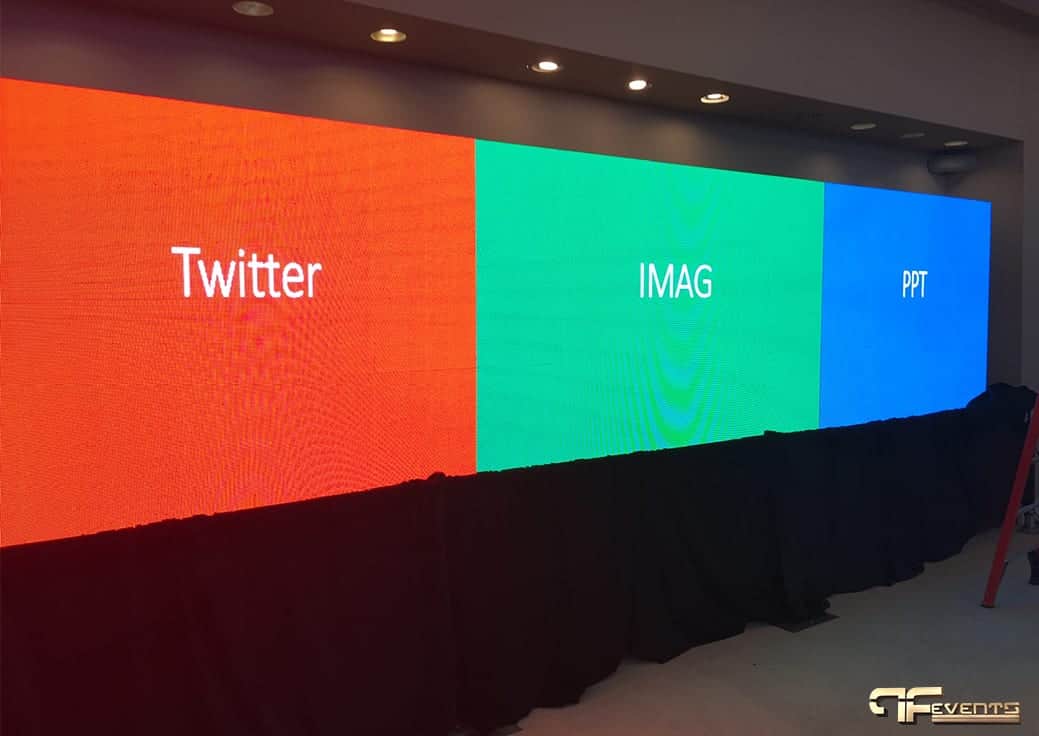
An LED screen rental can carry an entire event. It holds the keynote slides, the sponsor loop and the live camera on the speaker, and it stays bright with the house lights up. It is also one of the larger lines in an AV budget, and easy to get slightly wrong: a wall too small for the back row, a pixel pitch that looks grainy from the front tables, or content built at the wrong shape for the screen.
This guide covers the planning decisions behind a good LED wall rental in Toronto: how big the wall should be, what pixel pitch means in plain terms, indoor versus outdoor panels, content preparation, and what power, rigging and load-in involve. It ends with the questions to ask a rental provider before you approve a quote.
When an LED Wall Is the Right Call
An LED wall is built from modular panels covered in tiny light-emitting diodes. Each diode produces its own light, so the image does not depend on a dark room, and the panels can be joined into almost any width, height or shape. That makes an LED wall the usual choice when the room has windows or house lights that must stay on, when the room is too shallow for a projector's throw distance, when the screen is part of the stage design, or when the event is outdoors in daylight.
If you are still deciding between the two technologies, our guide to LED wall vs projector compares them side by side. The rest of this page assumes the decision is made and focuses on renting and planning the wall itself.
How Big Should the LED Wall Be?
Screen size starts with the person sitting farthest away. If they cannot read a slide, the wall is too small, however impressive it looks from the stage.
A long-standing rule of thumb is that the farthest viewer should sit no more than about six to eight times the image height from the screen for video and graphics, and closer to four to six times for text-heavy content. If your back row is 24 metres from the stage, that points to an image roughly 3 to 4 metres tall for video, and taller if the agenda is full of spreadsheets.
A few practical limits shape the final size:
- Panels come in fixed steps. A wall is built from whole panels, so its dimensions move in panel increments. Many rental panels are 50 cm wide, so a wall is 5.0 m or 5.5 m wide, not 5.2 m.
- Height usually runs out before width. Ceiling height, chandeliers and rigging points cap how tall the wall can be, which is why wide walls are common.
- The bottom edge has to clear heads. In a flat-floored room, lift the wall onto the stage deck or a raised base so the people in front do not block it.
Pixel Pitch and Viewing Distance, Explained Plainly
Pixel pitch is the distance, in millimetres, from the centre of one pixel to the centre of the next. A smaller pitch packs more pixels into the same area, which means a sharper image up close and a higher rental cost.
The common rule of thumb is that the closest comfortable viewing distance in metres is roughly the pixel pitch in millimetres. Any closer, and people start to see dots rather than a smooth picture.
| Pixel pitch (approx.) | Closest comfortable distance (rule of thumb) | Where it tends to fit |
|---|---|---|
| 1.5 to 2 mm | About 1.5 to 2 m | Trade show booths, small rooms |
| 2.5 to 3 mm | About 2.5 to 3 m | Conferences with a close front row |
| 3.9 mm | About 4 m | Ballrooms, galas, general sessions |
| 4.8 mm and up | About 5 m and beyond | Large rooms and outdoor screens |
Two things follow. First, you rarely need the finest pitch available. If your nearest table is six metres from the stage, a very fine pitch buys sharpness nobody can see. Second, pitch sets the wall's resolution. A 6 m wide wall at 3.9 mm is roughly 1,500 pixels across, fewer than a standard 1920 x 1080 image. The video processor scales content to fit, but your designers should know the wall's native resolution before they build anything.
Indoor vs Outdoor LED Panels
Indoor and outdoor panels are not interchangeable. Indoor panels are lighter, come in finer pitches, and normally run well below full brightness, because a wall at full output in a ballroom is uncomfortable to watch and overpowers the people on stage.
Outdoor panels are built to compete with daylight, so they are much brighter, sealed against rain and dust, and usually coarser in pitch because outdoor audiences stand farther back. An outdoor wall also adds its own planning:
- Wind. A large screen behaves like a sail. The support structure and ballast need to suit the site, with a plan for high winds.
- Cover for the electronics. Processors, playback and power distribution need protection even when the panels are weather-rated.
- Sun position. Where the site allows, keep the afternoon sun behind the screen rather than shining on its face.
- Power. Outdoor sites often need a generator or temporary distribution.
Preparing Content and Aspect Ratio
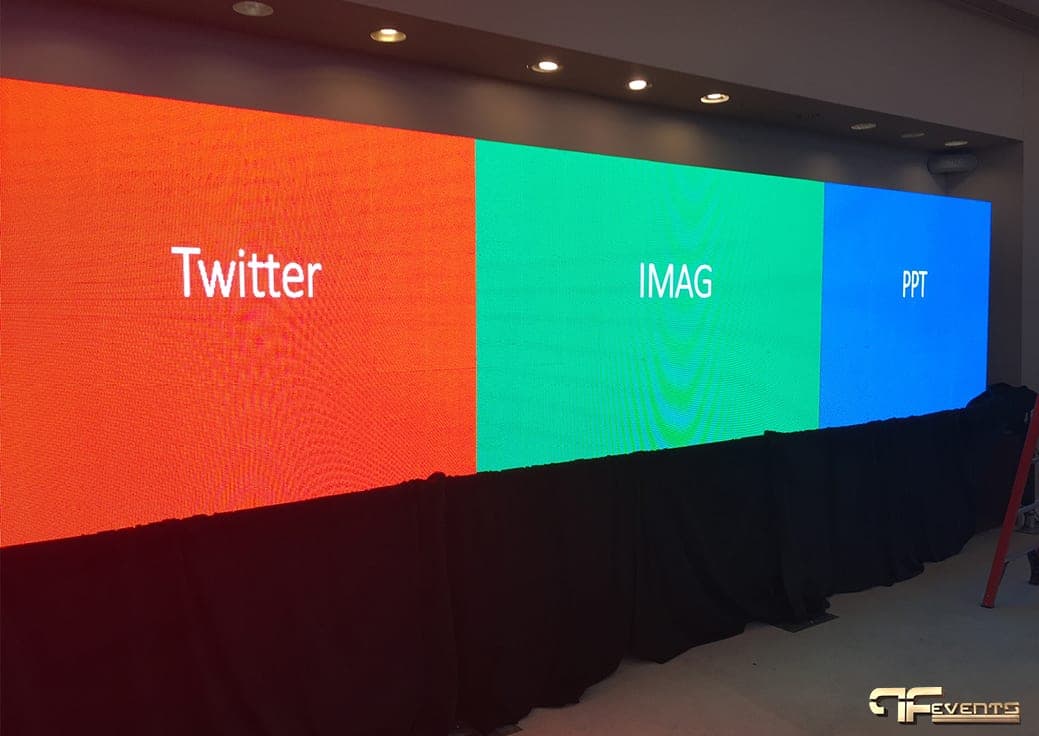
An LED wall is rarely 16:9. Because it is built from panels, it can be very wide, nearly square, or tall and narrow. That is its creative strength, and the most common source of content problems.
- Get the exact pixel dimensions early. Ask for the wall's native resolution in pixels, not just its size in metres, and build every graphic at that size.
- Plan zones on a wide wall. A wide wall is often split into areas, such as slides, the live camera feed and a sponsor or social feed, like the wall in the photo above. Mapping zones in advance keeps the program looking intentional.
- Decide where standard slides sit. Most decks are 16:9. They can sit in one zone with branded graphics around them, or the template can be redesigned for the full canvas.
- Avoid full-screen white. A bright white background is harsh on the audience, washes out presenters and draws more power. Darker backgrounds with large, clear text read better.
- Test on the actual wall. Deliver files early and schedule time to play every video and deck through the real system.
If the event is filmed or streamed, check the wall on camera too. Brightness, refresh settings and camera shutter speed all affect whether it looks clean or flickers in the recording.
Power, Rigging and Load-In
LED walls are heavy, draw a lot of power, and take time to build. These details keep the wall from becoming a show-day problem.
Ground-stacked or flown
A wall can stand on a ground support frame, or be flown from rigging points in the ceiling. Ground support is common in hotel ballrooms. Flying frees up floor space, but it needs rated rigging points, often the venue's own riggers, and approval in advance. Ask about rigging early, because the answer can change the design.
Floor load and access
Panels, frames and road cases add up. Confirm the floor and stage can carry the weight, and check the loading dock, the freight elevator and the route to the room.
Power
An LED wall needs dedicated power planned with the venue, not whatever outlets sit near the stage. The draw depends on the wall's size and how bright the content is, and your provider should send the requirements to the venue well ahead of time. Our guide to event power requirements lists the questions to ask about circuits, distribution and backup.
Build time and calibration
The crew assembles the frame, mounts the panels, runs cabling, configures the processor and calibrates so every panel matches, then tests content. Make sure the venue booking allows enough load-in time before doors, and enough time to strike afterwards.
How an LED Wall Works With Staging
The wall and the stage should be designed together. The stage deck lifts presenters into view and sets how high the bottom of the screen sits. A ground-stacked wall takes up stage depth, so leave presenters room to move without brushing the screen. A bright wall behind a speaker can turn them into a silhouette, so stage lighting and wall brightness need balancing for both the room and the cameras. Black drape around the base and sides hides frames and cabling and makes the wall look built in.
That is why our staging services are planned alongside the screen. Getting both right together is far easier than adjusting one to fit the other on show day.
LED Walls at Trade Shows
At a trade show, viewing distances are short, so pitch usually matters more than size. Show organizers set height limits and structure rules, and booth power is often ordered through the show with its own deadlines. Collect those rules before choosing a wall. Our trade show production team can fit a screen to the booth plan and the show's requirements.
Questions to Ask an LED Wall Rental Provider
Before you approve a quote, ask:
- What pixel pitch are you proposing, and why does it suit our room?
- What is the wall's native resolution in pixels?
- Are the panels rated for indoor or outdoor use?
- Will the wall be ground-stacked or flown, and who handles rigging and venue approvals?
- What are the power requirements, and will you send them to the venue?
- How long are the build and strike, and how many crew are needed?
- Is a technician on site for the whole event, not just setup?
- Are the processor, playback and switching included?
- What file formats should our content team deliver, and by when?
Clear answers are a good sign the provider has thought about your room, not just the screen.
Frequently Asked Questions
How far in advance should I book an LED screen rental?
As early as you can, especially in busy event seasons. Early booking leaves time for a site visit, venue approvals for rigging and power, and content built at the right resolution.
How much does an LED wall rental cost?
It depends on the wall's size, the pixel pitch, the number of days, whether it is ground-stacked or flown, and the labour involved. A provider can quote accurately once they know the room, the layout and the schedule.
Do I need a technician on site?
For an event wall, yes. A technician manages brightness, switching and playback, and can swap a module or fix a signal problem without stopping the program.
Plan Your LED Wall With Future's Past Events
A well-planned LED wall makes every part of the program easier to see, from the keynote slides to the camera on the speaker. The work is in the details: size, pitch, content, power, and the stage it sits behind.
Future's Past Events has over 20 years of experience producing conferences, galas, trade shows and corporate events across Toronto and the GTA, with screens, staging, lighting and sound designed as one system. Browse our AV rentals, then contact Future's Past Events with your venue, date, room layout, guest count and the content you plan to show.
Related posts
7 Steps to a Successful AV Event
1. Determine your client’s basic AV event requirements Consider this: it’s a regular day in the life of an event planner. The phone rings and your client requests your event planning assistance for an upcoming event. Their only AV requests for the event or trade show are a screen, a projector, and sound with…
Tech Tips for Virtual Conference
To be successful as a virtual conference panelist or virtual event guest speaker or you must be technologically self-sufficient. Because when you join a conference from a remote place such as your home or office, you play a very important role in the technical execution of the virtual event. Follow these tech tips for…
Audiovisual Equipment Checklists for Events
AV equipment plays a major role in the eventual success of many events, including presentations, speeches, and video shows. AV equipment can be the main tool to help you take your event to the next level. It enhances the ability of guests to see and hear the message clearly throughout the scene. AV equipment is […]