
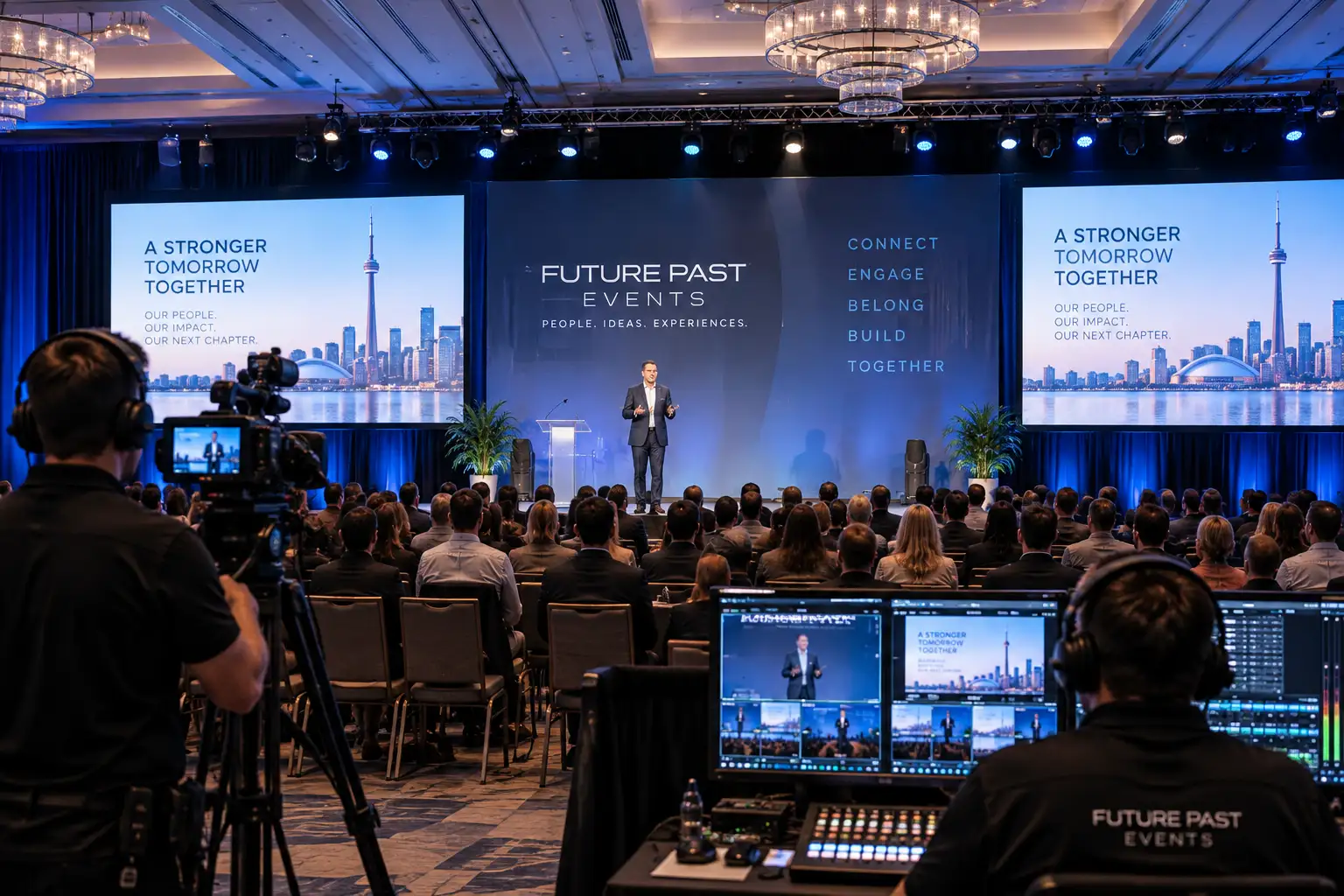
Town hall AV can make the difference between a leadership message that feels clear and confident and one that gets lost in weak audio, hard-to-read slides, awkward transitions, or a poor remote experience. A corporate town hall may look like a simple meeting, but once you add executives, audience Q&A, presentations, cameras, livestreaming, captions, multiple locations, or hundreds of employees, the production needs become much closer to a live broadcast.
For organizations planning employee meetings in Toronto or the GTA, the smartest approach is to connect the technical plan to the wider corporate event production process early. Town hall AV works best when sound, visuals, lighting, staging, streaming, presentation playback, and show flow are designed as one system rather than separate equipment orders.
What Does Town Hall AV Need to Accomplish?
The purpose of town hall AV is not to make an internal meeting feel theatrical. It is to make communication easy to hear, easy to see, and easy to follow for every employee in the room and online.
A strong setup should support five outcomes:
- Leadership can speak naturally and be heard clearly.
- Slides, charts, videos, and company updates are readable from the back of the room.
- Employees can ask questions without slowing the program down.
- Remote viewers receive clean audio, useful camera shots, and readable content.
- The production team can respond quickly if a file, microphone, connection, or schedule changes.
For larger all-hands meetings, professional audio visual services help connect those requirements into one reliable system.
Is town hall AV different from a normal conference setup?
Yes. A conference may be built around multiple sessions, speakers, sponsors, and breakout rooms. A corporate town hall is usually built around leadership communication and employee participation.
That changes the priorities. Speech intelligibility becomes critical. Camera framing may need to feel direct rather than theatrical. Q&A needs a clear microphone and moderation plan. If the event is hybrid, the remote audience needs to feel like part of the same meeting instead of watching a security-camera feed from the back of a ballroom.
9 Essential Steps for Better Town Hall AV
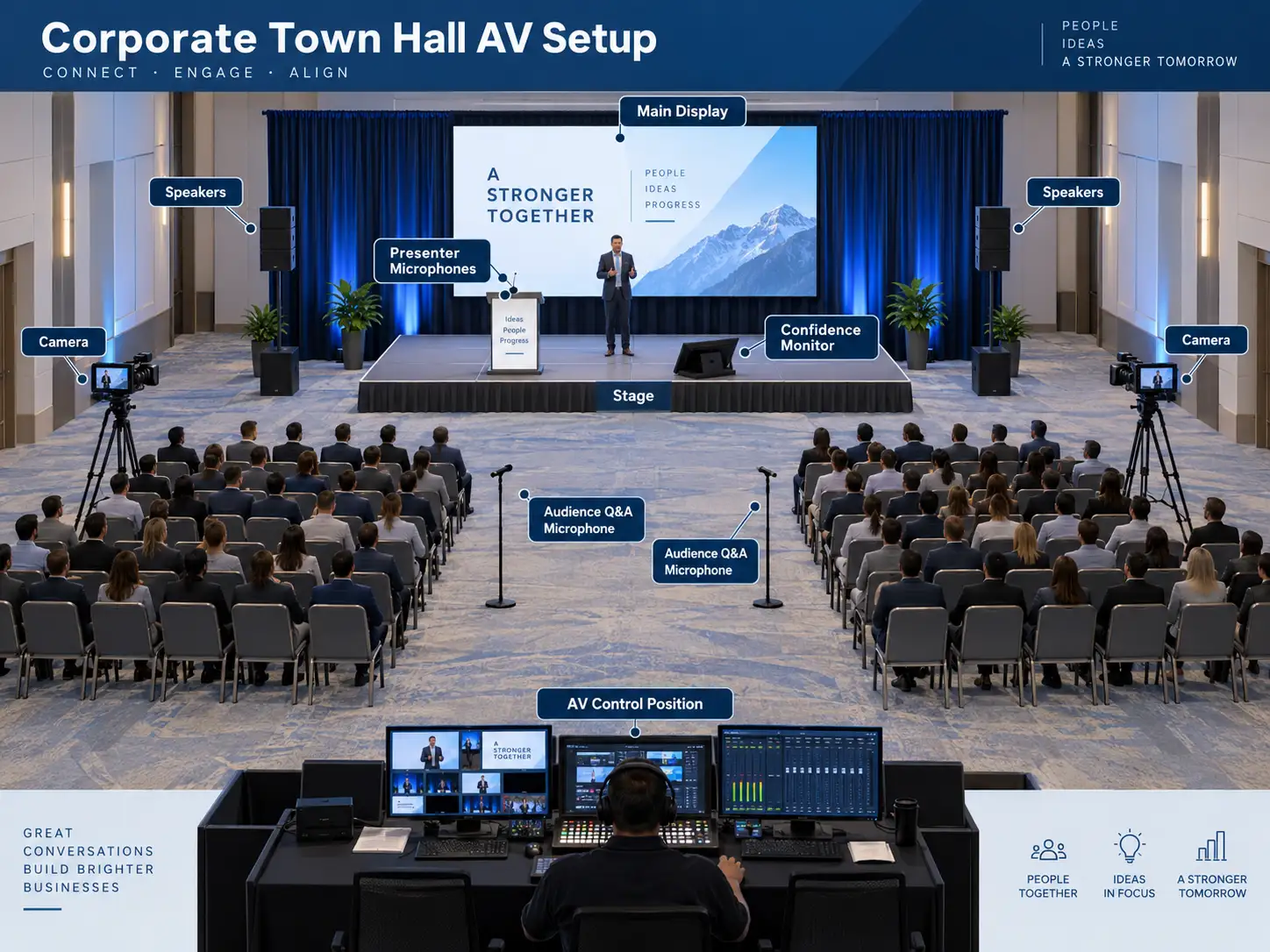
A reliable town hall AV plan starts with the format, not with a shopping list. Use these nine steps before the venue, equipment package, and production schedule are locked.
1. Define who will attend and how they will participate
Start with the audience. How many employees will be in the room? How many will join remotely? Are people watching individually from laptops, together from regional offices, or through a combination of both?
Then define participation. Will employees ask live questions? Submit them through a digital tool? Will there be remote presenters? Will the CEO take unscripted questions? Does the event need recording for employees who cannot attend live?
A one-way leadership update can use a simpler workflow than a multi-location all-hands with remote presenters and live Q&A.
2. Design the town hall audio system for speech first
Clear speech is the foundation of town hall AV. Employees should not have to strain to understand executives, moderators, panelists, or audience questions.
The audio plan should account for room size, seating layout, ceiling height, acoustics, stage position, audience participation, and whether audio must also feed a livestream or recording.
For presenters, wireless lavalier, headset, handheld, or lectern microphones can all work, depending on speaking style and movement. For a leadership panel, individual microphones usually provide more control than passing one microphone between several people.
Audience Q&A needs its own plan. Handheld wireless microphones with runners are common for larger rooms because the technician can control which microphone is live while employees remain seated or stand to ask questions.
3. Size displays for the farthest viewer
A screen that looks large from the stage can feel surprisingly small from the back row. Town hall AV should size displays around what employees need to read, not around what fits conveniently on a rental list.
Text-heavy financial slides, charts, dashboards, and organizational updates require more readable detail than a full-screen photo or simple logo. The current AVIXA display-image-size standard evaluates display size according to viewing positions and the level of detail the audience needs to understand.
That is a useful principle for any employee town hall: test the actual content from the worst seat in the room.
4. Build a microphone plan for Q&A before show day
Town hall AV often works perfectly during prepared presentations and then becomes disorganized the moment Q&A starts.
Decide how questions will reach the stage before the event begins. Options include:
- Wireless handheld microphones with audience runners
- Fixed floor microphones in aisles
- Table microphones for smaller leadership meetings
- Digital question submission moderated on stage
- A mix of live and submitted questions for hybrid events
Assign one person to manage the process. The moderator should know when to open Q&A, the audio operator should know which microphones are available, and the camera team should know where questioners are likely to be.
5. Plan the hybrid and livestream path separately
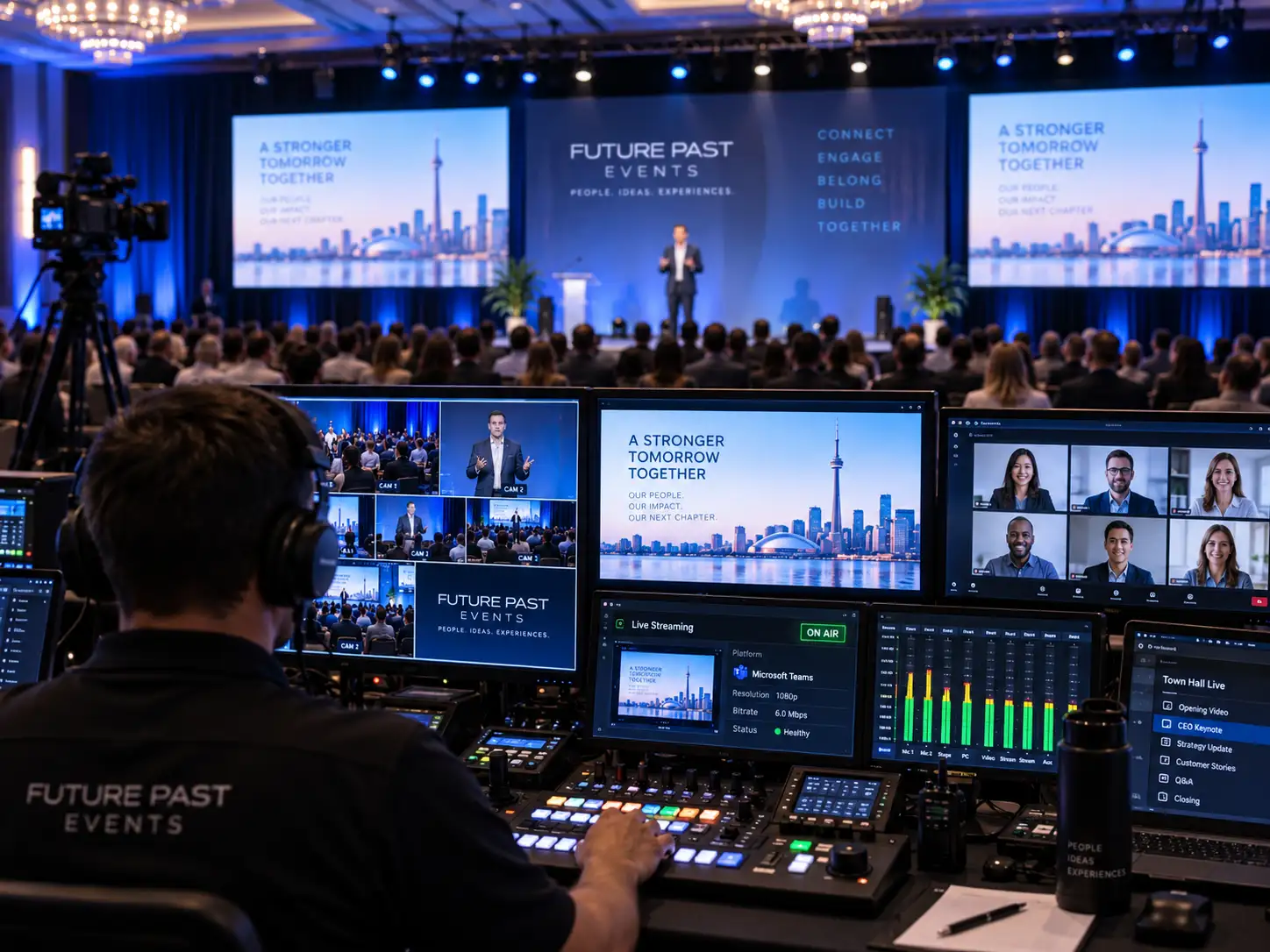
If employees are joining online, treat the remote experience as a real production output. Hybrid event production requires more than putting a laptop on a table and connecting it to the venue Wi-Fi.
Map the signal path from cameras and presentation content into the streaming platform. Confirm how remote speakers return to the room, how they hear the moderator, and how their audio avoids echo. Decide whether remote viewers will see the same presentation feed as the room or a switched program that combines cameras, slides, videos, and graphics.
Internet capacity must be verified early. Future’s Past Events’ guide to event bandwidth requirements is a useful planning companion. Microsoft also notes in its current Teams network guidance that large-audience event streaming can require substantial bandwidth at viewing locations; without an enterprise content delivery network, it advises roughly 2 Mbps per viewer, or 3 Mbps for 1080p, as a planning approximation.
6. Light executives for both the room and the camera
Town hall AV is easier to watch when presenters are clearly visible. That sounds obvious, but room lighting that feels acceptable to the eye can still produce flat faces, dark eye sockets, or distracting backgrounds on camera.
Use front light that keeps skin tones natural and consistent. Keep bright screens or windows behind speakers from overpowering the camera image. If the town hall is being streamed or recorded, camera exposure and stage lighting should be tested together rather than separately.
The goal is not a concert look. For most employee meetings, clean, warm, professional lighting supports the message without making the production feel oversized.
7. Control presentation playback and speaker confidence
Presentation files are a common source of last-minute problems. Different laptops, fonts, videos, aspect ratios, and file versions can all create delays.
For higher-stakes town hall AV, consider using dedicated show computers rather than swapping presenter laptops on stage. Keep approved files in a controlled folder, test every embedded video, and prepare a backup copy.
A confidence monitor can also help leaders present naturally. It lets a speaker see the current slide, next slide, timer, or notes without turning around to look at the main screen. For events with several executives or content-heavy presentations, connect this workflow to a structured conference presentation management process.
8. Include accessibility in the technical plan
Accessibility should be built into town hall AV from the start. Depending on the audience, that may include live captions, sign-language interpretation, assistive listening, accessible seating, clear stage access, readable presentation design, and digital materials employees can use with assistive technology.
The Government of Canada’s Guide to Planning Inclusive Meetings recommends planning accommodations early, using microphones consistently in larger rooms, and ensuring audiovisual materials are accessible.
For hybrid town halls, confirm where captions appear in the stream and whether remote viewers can read them without covering presentation content. Test these details during rehearsal rather than assuming the platform will handle them automatically.
9. Rehearse the real show, not just the equipment
A technical check proves that equipment turns on. A rehearsal proves that the town hall AV plan actually works.
Walk through speaker entrances, presentation cues, videos, camera shots, Q&A, remote participants, captions, closing remarks, and any high-risk transitions. Use the same microphones, files, lighting, and streaming workflow that will be used during the live event.
A detailed event rehearsal checklist helps the team verify people, content, and systems together. The final timing should also be reflected in the event run of show so the producer, AV crew, moderator, and client team are working from the same sequence.
Town Hall AV Planning Matrix
| Area | What to confirm | Common risk |
|---|---|---|
| Audio | Presenter mics, panel mics, Q&A mics, speaker coverage | Employees cannot hear clearly or Q&A stalls |
| Displays | Screen size, content readability, confidence monitors | Slides are too small from the back row |
| Video | Camera positions, framing, switching, recording | Remote viewers see poor angles or missed moments |
| Hybrid | Platform, return audio, remote speakers, internet | Echo, lag, dropped connections, weak remote experience |
| Lighting | Presenter light, camera exposure, screen balance | Faces look dark or screens wash out on camera |
| Content | Approved files, videos, backups, playback operator | Wrong deck, missing media, last-minute laptop swaps |
| Accessibility | Captions, assistive listening, stage access, readable slides | Employees cannot participate fully |
| Show flow | Rehearsal, run of show, cue ownership, backups | Awkward transitions and unclear responsibility |
Common Town Hall AV Mistakes to Avoid
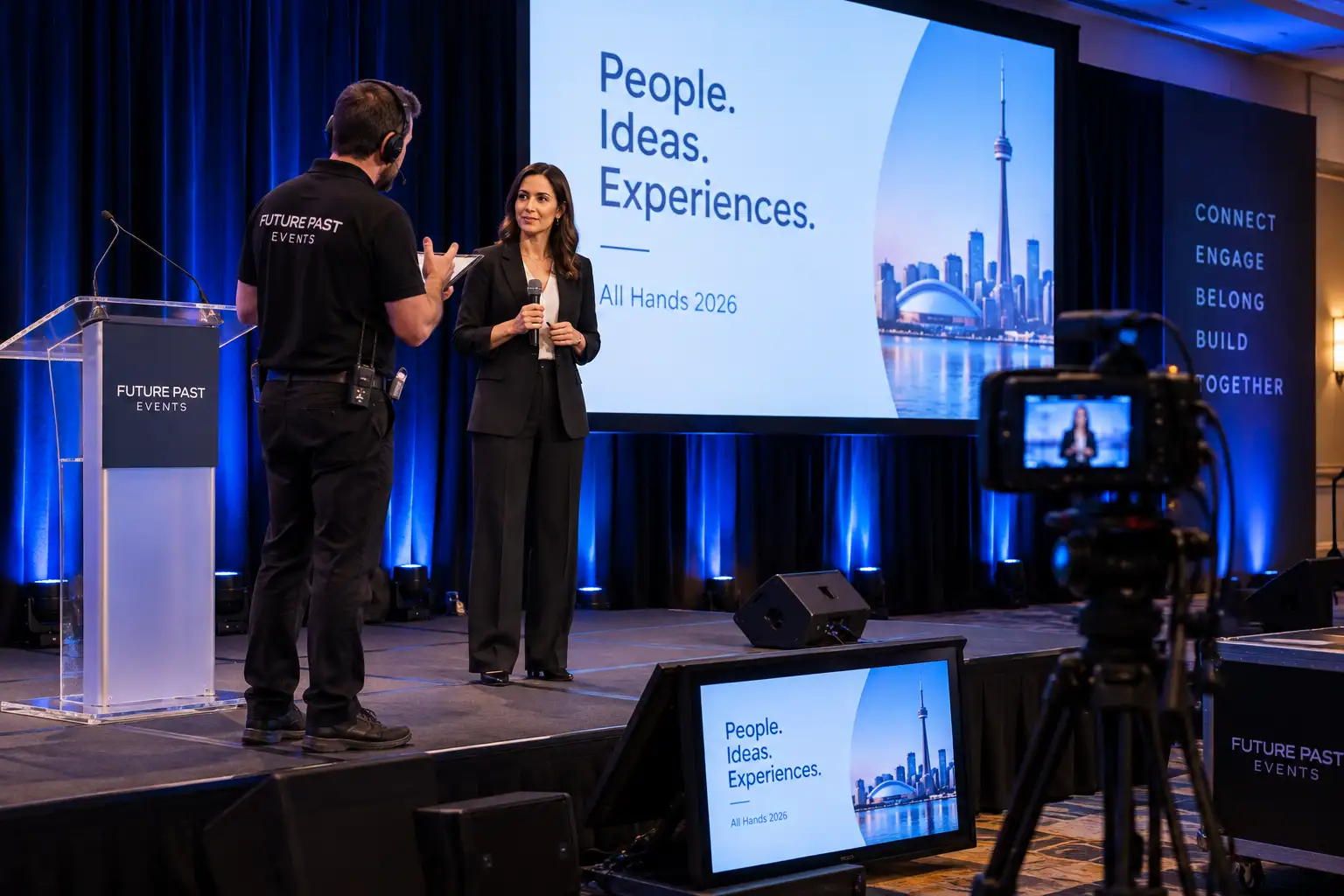
Most town hall AV problems are not caused by rare equipment failures. They are caused by assumptions that were never tested.
One common mistake is relying on venue Wi-Fi without checking whether the network can support streaming, remote presenters, employee devices, and other event traffic at the same time.
Another is providing too few microphones for Q&A. If 400 employees are waiting while one handheld microphone crosses the room, the discussion loses momentum quickly.
Screen sizing is another frequent problem. A beautiful stage can still fail if employees cannot read a spreadsheet, organizational chart, or financial update from the back.
Finally, do not treat the remote audience as a recording of the room. Hybrid town hall AV should deliberately mix microphones, presentation content, cameras, graphics, and captions for people who are not physically present.
How much does town hall AV cost?
There is no useful flat price because the production scope can change dramatically. A single-room leadership update with one screen and two microphones is very different from a hybrid town hall with multiple cameras, LED displays, remote speakers, recording, captions, audience Q&A, staging, lighting, and a full technical crew.
The most important cost drivers are venue size, audience count, number of presenters, display type, microphone count, camera coverage, streaming requirements, internet needs, rehearsal time, labour, and load-in access.
A better budgeting question is: what communication risks does the event need to remove? Once those priorities are clear, the production team can build the town hall AV package around the outcomes that matter most.
Does a corporate town hall need an LED wall?
Not always. Projection or large professional displays can work very well in rooms with controlled lighting and suitable sightlines. An LED wall becomes more attractive when the room is bright, the display is part of the stage design, the audience is large, or the event needs strong camera-friendly visuals.
Choose the display based on room conditions, content, audience distance, stage depth, production goals, and budget rather than assuming one technology is automatically correct.
In-Person vs. Hybrid Town Hall AV
An in-person town hall can focus most of its resources on the room: speech coverage, screens, lighting, Q&A, and speaker support. Hybrid town hall AV has to serve two audiences at once.
That usually adds cameras, video switching, stream audio, remote speaker return feeds, encoding, platform moderation, network planning, recording, and more rehearsal time.
The best hybrid plan solves those conflicts before show day.
Plan Town Hall AV With Future’s Past Events
A successful corporate town hall should make leadership communication feel clear, direct, and well prepared. Employees should hear every word, see every important visual, understand how to participate, and receive a consistent experience whether they are in the room or joining remotely.
Future’s Past Events supports corporate meetings, hybrid events, audiovisual production, staging, lighting, rentals, and live technical execution across Toronto and the GTA. Bringing the production team into the process early makes it easier to align the venue, audience size, content, network, show flow, and technical backups before the plan becomes expensive to change.
If you are planning an employee all-hands, executive update, leadership meeting, or hybrid company town hall, contact Future’s Past Events with your venue, expected attendance, event format, presentation needs, and remote-audience requirements. A clear town hall AV plan gives your leadership team the technical foundation to focus on the message instead of the equipment.
Comments are closed.