
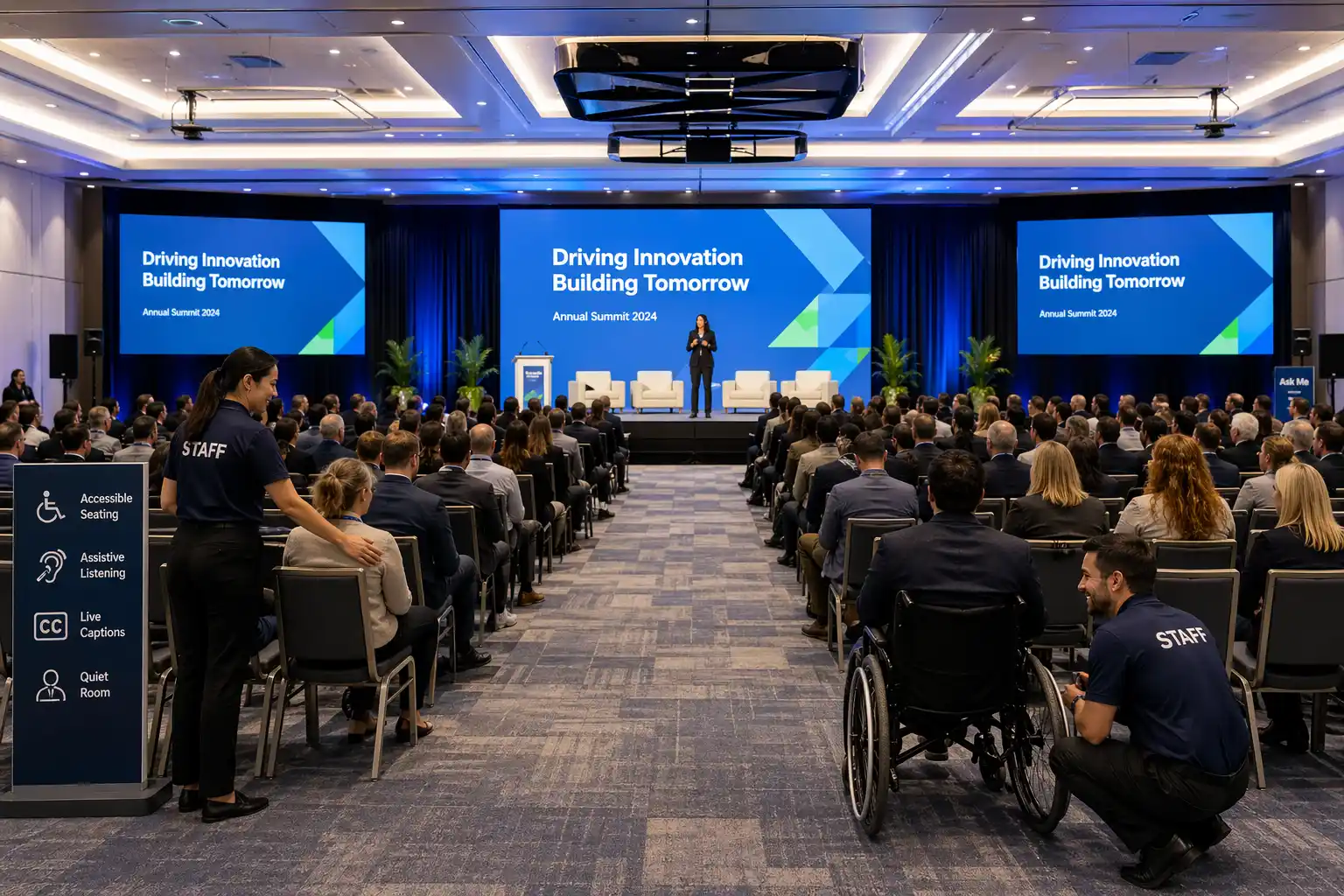
Event accessibility checklist planning should begin long before your guests arrive. The most inclusive events do not happen because someone remembered captions at the last minute or added a few reserved seats near the front. They happen because accessibility is built into the planning process from the start.
For corporate meetings, conferences, annual meetings, internal town halls, and hybrid events, accessibility affects the attendee experience at every stage. It influences registration, travel, room layout, signage, stage design, audio clarity, screen visibility, remote participation, and how confident people feel navigating the event.
A practical event accessibility checklist helps teams move beyond good intentions. It gives planners a working framework for identifying barriers early, improving communication, and creating an environment that supports more people more effectively.
This matters whether you are planning a board meeting, a conference keynote, a shareholder session, or a multi-speaker hybrid program. Just like a strong event run of show keeps operations organized, a strong accessibility process makes the event easier to experience for everyone in the room and online.
Why an Event Accessibility Checklist Matters More Than Teams Expect
Many planners still think accessibility only applies to ramps, elevators, or a basic legal requirement. In reality, event accessibility is broader than that. It includes how easily people can register, understand instructions, hear speakers, read slides, ask questions, move through the venue, participate remotely, and leave with the information they came for.
It also affects audience confidence. When an event is easier to navigate, attendees spend less energy overcoming friction and more energy focusing on the content, people, and purpose of the day.
That is one reason accessible planning fits naturally into the same broader event strategy used for corporate event production, hybrid events, and audio/visual support. Accessibility is not a side note. It is part of a better event experience.
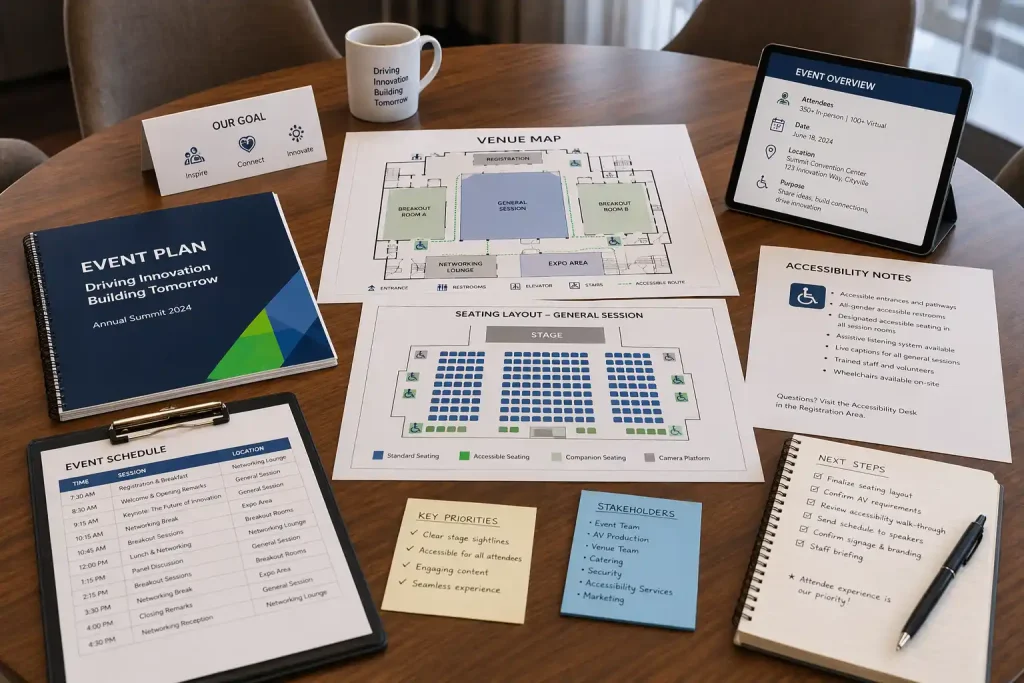
For Ontario-based organizations, it is also smart to stay aware of broader accessibility expectations and guidance, including Ontario’s accessibility framework and practical planning resources such as the federal Guide to Planning Inclusive Meetings. These are useful references even when your event goals are mainly operational.
What an Event Accessibility Checklist Should Cover
A useful event accessibility checklist should look at the full attendee journey, not just the room itself.
| Planning area | What to review |
|---|---|
| Before the event | Registration, accommodation requests, pre-event communication, venue details, access information |
| At the venue | Entrances, pathways, seating, signage, stage access, washrooms, check-in flow, sensory environment |
| Content delivery | Readable slides, audio clarity, captions, interpretation, microphones, question handling |
| Hybrid participation | Remote access, caption visibility, audio mix, camera framing, digital support, accessible materials |
| After the event | Recordings, transcripts, accessible files, feedback, lessons learned |
The checklist below is designed for corporate and hybrid events, but most of it also applies to conferences, stakeholder meetings, and internal company sessions.
Event Accessibility Checklist: 14 Practical Details to Review Before Show Day
1. Start accessibility at registration, not at the venue
Your event accessibility checklist should begin with registration. This is where attendees first tell you what they need, and it is where many accessibility issues either get solved early or become harder later.
Make sure the registration form is clear, easy to navigate, and includes a simple way to request accommodations. That may include captioning, interpretation, dietary requirements, mobility-related seating, accessible parking details, scent sensitivity considerations, or alternate-format materials.
The language matters too. Ask clearly, avoid vague wording, and explain who attendees can contact if something changes after registration.
2. Choose a venue that is accessible before you add production
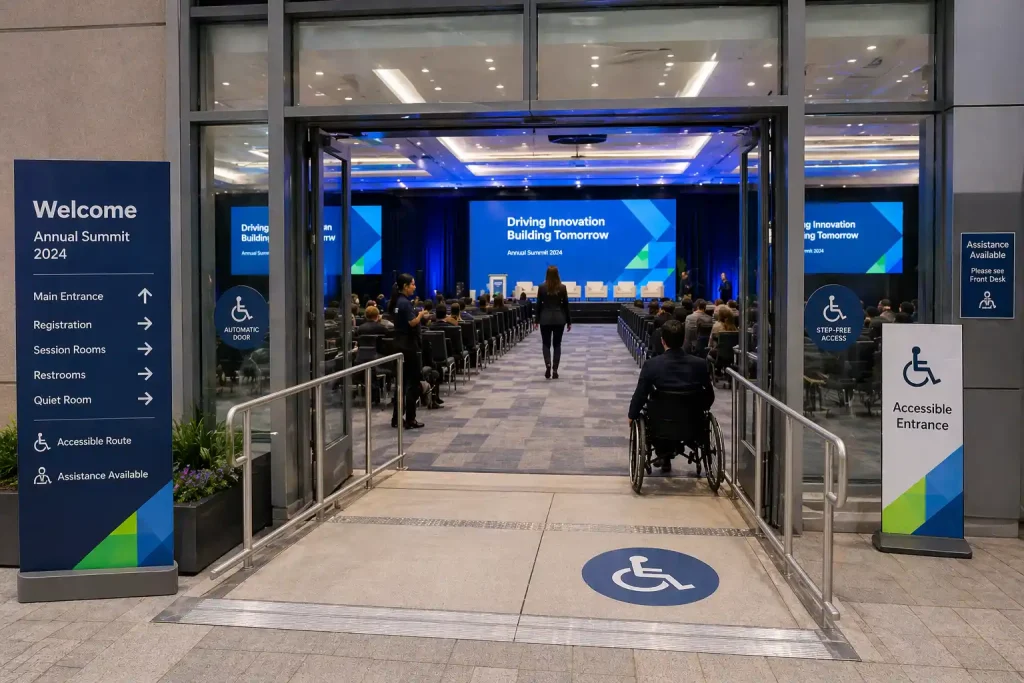
An event accessibility checklist should never assume a venue is workable just because it looks polished. Accessibility should be part of the venue decision itself.
Review entrances, elevators, washrooms, parking access, pathway widths, door clearances, loading routes, and whether attendees can move easily between registration, seating, networking areas, and stage-facing spaces. If the venue is still being selected, this planning step should sit alongside broader considerations like those covered in how to choose the right event venue.
Even a beautiful room can become frustrating if check-in creates bottlenecks, the stage is difficult to approach, or signage is inconsistent.
Do accessible venues automatically create accessible events?
No. A strong venue helps, but accessibility can still break down if the layout, production plan, communication, or staffing create barriers. That is why a venue checklist should be part of a larger event accessibility checklist, not the whole plan.
3. Review room layout with mobility, visibility, and circulation in mind
Once the venue is chosen, your event accessibility checklist should focus on how the room actually functions. Think about aisle width, reserved seating, clear pathways, table spacing, wheelchair access, queuing areas, and how easy it is for attendees to move without feeling singled out or blocked.
If there is a networking area, sponsor zone, or refreshment station, make sure those spaces are also considered. Accessibility should not disappear once the formal presentation begins.
This is where good room planning often overlaps with broader production decisions around staging, audience flow, and sightlines.
4. Make stage access usable for speakers and participants
An event accessibility checklist should include the stage, not just the audience area. If you have speakers, moderators, award recipients, or audience participants joining the stage, make sure access is practical and dignified.
Review steps, ramps, handrails, backstage spacing, podium height, confidence monitor visibility, mic handoff points, and how presenters enter and exit. If someone cannot comfortably access the stage, the event design needs to change.
This is especially important for conferences, internal leadership events, and corporate meetings where multiple presenters move in and out throughout the day.
5. Make screen content readable from anywhere in the room
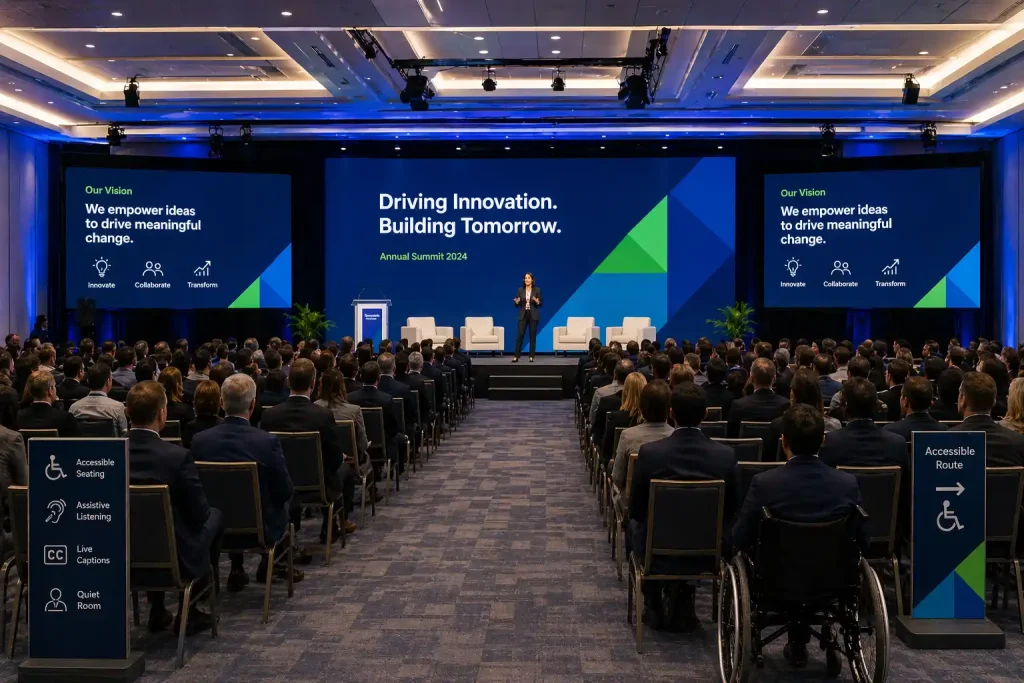
Readable visuals are a major part of any event accessibility checklist. Slides that look clean on a laptop can become unreadable in a ballroom if contrast is weak, font size is too small, or screen placement is poor.
Use large type, strong contrast, simple charts, and limited text density. Avoid cluttered slides and low-contrast brand treatments that look elegant up close but fail from the back row.
If your event uses multiple screens, presentation playback, or larger scenic elements, this is also where thoughtful lighting and decor choices can support visibility rather than compete with it.
How readable should event slides be?
A simple rule is this: if attendees have to squint, lean forward, or ask someone beside them what a slide says, the content is not readable enough. Your event accessibility checklist should treat screen clarity as a core communication requirement, not an aesthetic afterthought.
6. Prioritize audio clarity, microphone coverage, and assistive listening support
An event accessibility checklist should put audio near the top of the list. People often notice visual issues first, but poor sound creates just as much exclusion. If guests cannot hear a presenter, follow audience questions, or understand panel transitions, the content becomes harder to access.
Review microphone strategy, speaker coverage, room acoustics, playback levels, audience Q&A handling, and any assistive listening needs that may apply. Small meetings can still benefit from professional sound support because “intimate” does not always mean “easy to hear.”
This is one reason so many organizations rely on structured audio visual services in Toronto or broader AV planning for corporate meetings instead of treating sound as a plug-and-play task.
7. Plan captions, interpretation, and remote access early
Captions, interpretation, and digital access should never be late additions to your event accessibility checklist. If your event includes livestreaming, recorded playback, virtual attendees, or multilingual audiences, these elements need early planning.
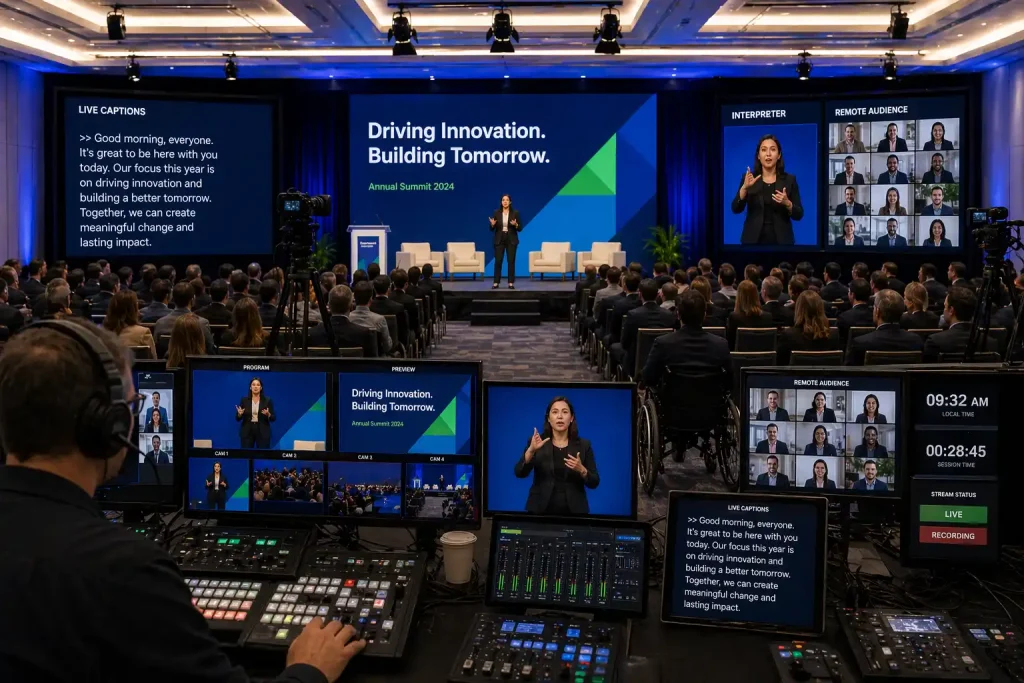
For captions specifically, the W3C’s accessibility guidance on captions is a useful reference. It is a reminder that captions help more than one audience group. They support people who are deaf or hard of hearing, people in noisy environments, people watching with limited audio, and people processing information better through text.
Interpretation, caption placement, and on-screen visibility should all be tested in advance. If captions exist but are too small or hard to see, they are not doing their job.
Do all corporate events need captions?
Not every event requires the same accessibility features, but captions are increasingly valuable for both in-room and remote formats. If the event is hybrid, recorded, or content-heavy, your event accessibility checklist should strongly consider them from the start.
8. Build hybrid participation that works for remote attendees too
For hybrid programs, an event accessibility checklist has to extend beyond the ballroom. Remote participants need clear audio, clean camera framing, readable shared visuals, visible captions where applicable, and simple instructions for joining, interacting, and asking for help.
A remote attendee should not feel like they are watching a distant side stream of an in-room event. They should feel included in the experience.
If you are planning a mixed-audience format, it helps to pair this checklist with the practical planning considerations in this article on organizing an inclusive hybrid event and with the service-level realities of hybrid event production.
Technical stability matters here too. If remote access is part of the experience, the event plan should also account for the realities covered in event bandwidth requirements.
9. Use clear signage and wayfinding throughout the event
A practical event accessibility checklist includes signage, because people should not have to guess where to go next. Registration, washrooms, elevators, quiet areas, accessible seating, stage access routes, and help points should all be easy to find.
Good wayfinding reduces stress and supports independence. It also helps first-time attendees, guests with mobility limitations, neurodivergent attendees, and anyone unfamiliar with the venue.
Use high contrast, consistent wording, and placement that works at real eye level in actual traffic flow.
10. Consider the sensory environment, not just the schedule
An event accessibility checklist should also consider how the event feels, not only how it functions. Lighting intensity, background music, crowded transitions, flashing visuals, scent-heavy décor, and constant noise can all create unnecessary barriers.
This does not mean every corporate event needs to feel muted. It means the event should be intentional. If lighting is dynamic, make sure it is appropriate. If music is used, consider when it should be lowered. If the room is busy, think about whether there is a calmer space nearby.
These decisions often connect directly to production choices around lighting design, scenic environment, and audience comfort.
11. Train staff, volunteers, and on-site support teams
Even the best event accessibility checklist will fail if the people on-site do not know the plan. Registration staff, room hosts, technical crew, ushers, moderators, and client-side coordinators should all understand the basics of the accessibility approach.
They should know where reserved seating is, how to direct guests to accessible routes, who handles accommodation questions, where caption or interpretation support appears, and how to respond calmly if something is not working.
Accessibility becomes much stronger when support feels normal, informed, and respectful instead of improvised.
12. Provide accessible event materials before and after the session
Your event accessibility checklist should include materials, not just the live experience. Pre-event instructions, schedules, venue maps, agendas, presentation decks, recordings, and post-event follow-up should all be reviewed for accessibility.
If the event is recorded, think about captions and file formats. If slides are shared afterward, make sure they are still usable outside the room. If follow-up materials are important to the outcome of the event, they should be accessible too.
This is especially relevant for webinars, leadership sessions, and content-rich conferences where attendees depend on post-event resources.
13. Rehearse technology, access points, and contingency plans
A strong event accessibility checklist should always include rehearsal. Test microphones, playback, captions, confidence monitors, hybrid links, screen visibility, remote logins, and question pathways before the audience arrives.
It is also important to test the full event flow, not just isolated equipment. Can someone reach the stage comfortably? Can a remote attendee hear a floor question? Can staff explain where to go if an attendee needs help?
Operational rehearsal is one of the best ways to catch accessibility gaps that look fine on paper. It also pairs naturally with broader event-readiness practices like the ideas in why AV technology matters more than ever in 2026.
14. Ask for feedback and improve the next event
The final step in any event accessibility checklist is feedback. Ask attendees what worked, what was difficult, and what could be improved next time. Include accessibility-related questions in post-event surveys when appropriate, and look for patterns rather than isolated comments.
This is how accessibility planning becomes stronger from one event to the next. It stops being a one-time reaction and becomes part of your operating standard.
Common Accessibility Gaps That Show Up on Show Day
Some issues appear again and again. Slides are readable on-site but not in the recording. Reserved seating exists but is poorly placed. A venue is technically accessible, but the registration line blocks the main pathway. Captions are available, but nobody explains where they appear. Audience questions are invited, but floor microphones do not actually pick them up.
These are exactly the kinds of problems an event accessibility checklist is meant to prevent.
The goal is not perfection in the abstract. The goal is fewer barriers, better planning, and a more inclusive experience that feels organized in practice.
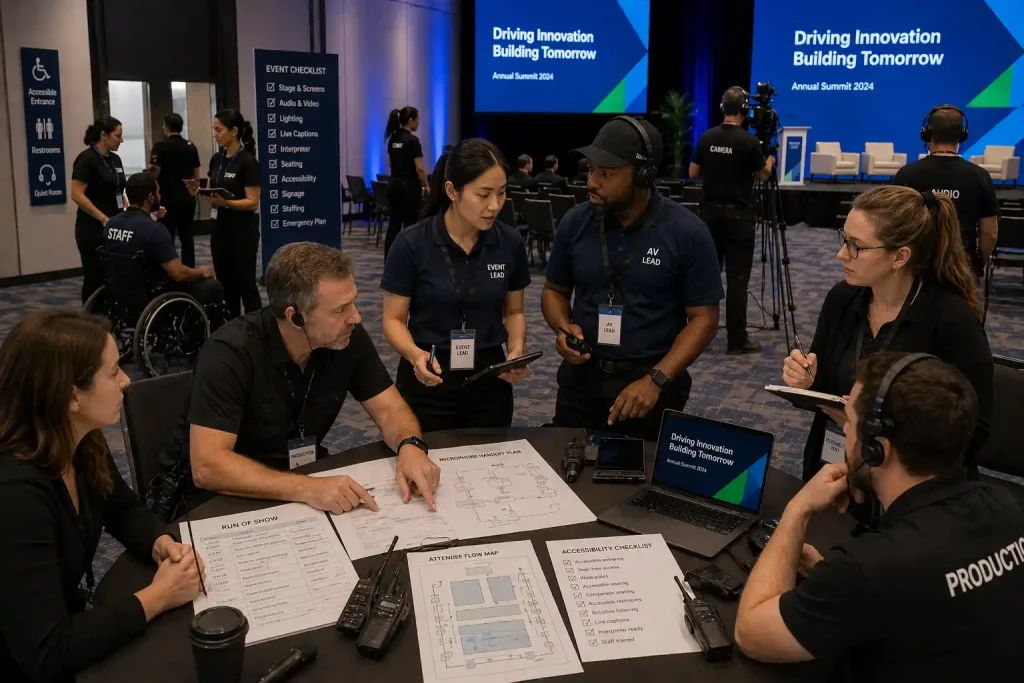
Turning an Event Accessibility Checklist Into a Better Corporate Event
The best event accessibility checklist is the one that becomes part of the real planning process. It informs the registration form, the venue walk-through, the room layout, the AV conversation, the rehearsal, and the post-event review.
That is why accessibility works best when it is built into the event from the start instead of being layered on at the end. It improves clarity, reduces friction, and helps more attendees participate with confidence.
For organizations planning corporate meetings, conferences, annual meetings, or hybrid productions in Toronto and the GTA, Future’s Past Events can help translate those accessibility goals into practical execution through corporate event production, hybrid event support, audio/visual services, staging, decor, and broader support across the full services lineup.
If you are planning an event where attendee experience, communication, and execution all need to work together, you can also learn more about the team, browse available event rentals, or reach out through the contact page.
Because a better event accessibility checklist does more than reduce risk. It helps create an event that is easier to follow, easier to join, and better for everyone involved.
Comments are closed.