Event power requirements can make the difference between a smooth, confident production and a show day full of avoidable technical problems. Before you choose screens, lighting, livestreaming tools, registration stations, or sponsor activations, your team needs to understand how the event will be powered.
Power is not the most glamorous part of planning a conference, AGM, gala, product launch, or trade show. Guests rarely notice it when everything works. They notice immediately when a microphone cuts out, an LED wall flickers, a registration desk loses connection, or a livestream encoder shuts down because the wrong circuit is overloaded.
That is why event power requirements should be reviewed early, ideally while you are still discussing the venue, event format, AV scope, and production schedule. A strong power plan supports clear audio, reliable visuals, safe lighting, clean staging, and a better guest experience from load-in to load-out. In other words, event power requirements are a production foundation, not a last-minute checklist item.
Why Event Power Requirements Matter Before Show Day
Many planning teams begin with visible details: the room look, stage design, screens, microphones, branding, seating, catering, and agenda. Those details matter, but they all depend on infrastructure that guests never see.
Event power requirements affect how your AV provider distributes load, where equipment can safely be placed, how much backup support is needed, and whether the venue can handle the production you have in mind. When event power requirements are ignored, the team may be forced into compromises: fewer lighting fixtures, smaller screens, limited camera positions, restricted booth activations, or last-minute generator costs.
For teams already reviewing event bandwidth requirements, power deserves the same level of attention. Internet keeps digital experiences connected. Power keeps the entire event alive.
What Counts as Event Power Requirements?
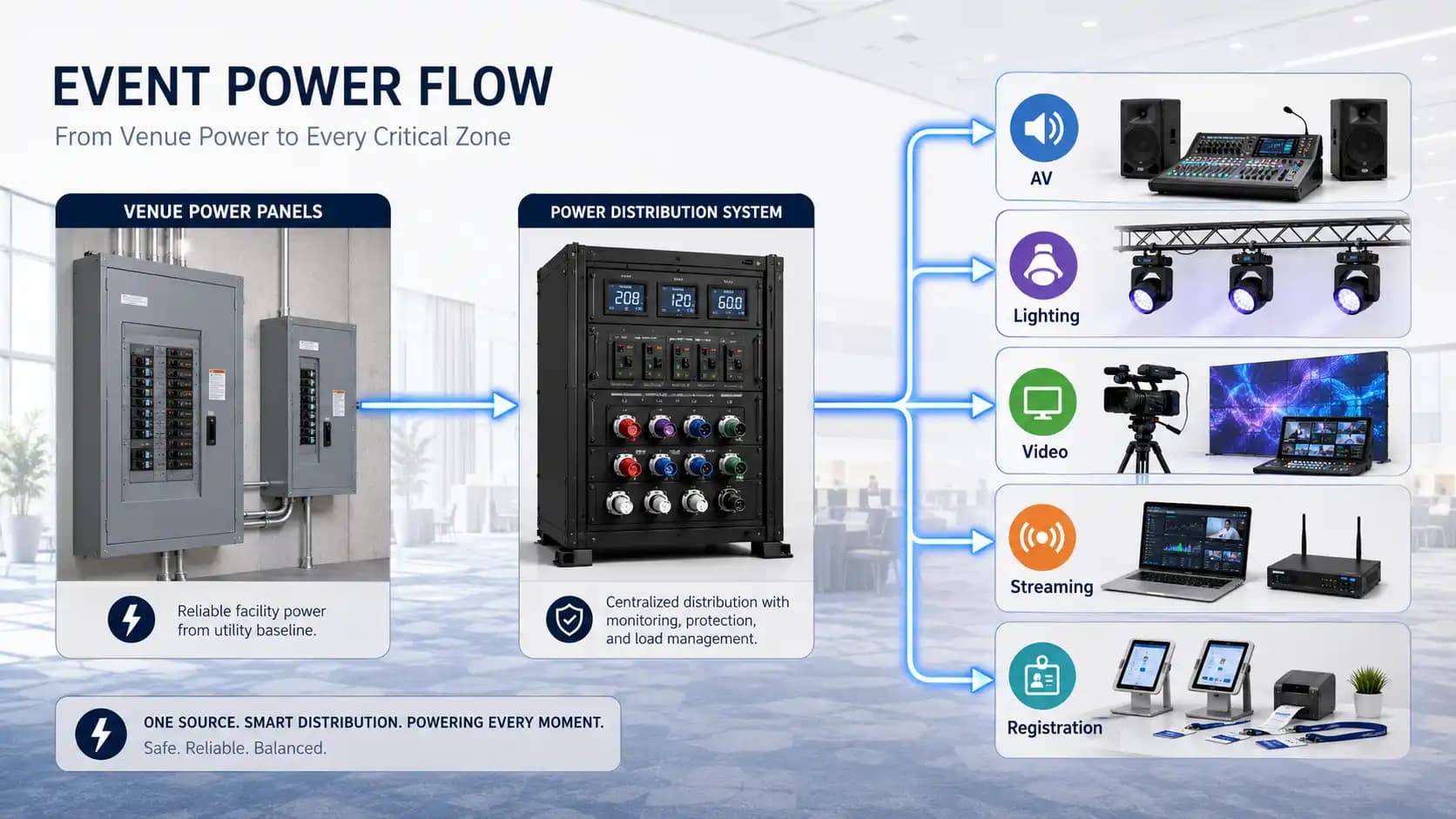
Event power requirements include every electrical need tied to the event experience, not just the main stage. Think of event power requirements as the full electrical picture behind the event. That means AV equipment, lighting fixtures, LED walls, projectors, laptops, camera systems, audio consoles, registration hardware, charging stations, sponsor displays, webcast equipment, decor elements, catering equipment, and any special installations.
It also includes how that power is delivered. A venue may have outlets in the room, but outlets alone do not answer the real planning questions. What voltage is available? How many circuits are dedicated? What else shares those circuits? Where are the panels? How far is the run from the panel to the stage? Is temporary distribution needed? Are there restrictions on generators, cable paths, or load-in timing?
A simple event may only need a few circuits. A larger corporate production may need a detailed distribution plan, dedicated power for the stage, separate circuits for video and audio, and a backup strategy for critical systems.
The Difference Between Power Demand and Power Distribution
One of the easiest ways to understand event power requirements is to separate demand from distribution.
Power demand is the total amount of electricity your event equipment needs. Distribution is how that power gets safely from the source to the equipment.
For example, a lighting package may have a predictable total load, but the fixtures still need to be distributed correctly. A video wall may have its own requirements. Audio may need clean, stable power away from noisy loads. Registration desks may need outlets in a lobby where the venue has limited access. A hybrid event may need reliable power for the streaming rack, cameras, monitors, and network gear.
This is where an experienced production team becomes valuable. Strong event power requirements planning translates creative plans into practical infrastructure, then coordinates with the venue before the room is full of people and equipment.
Common Equipment That Affects Event Power Requirements
Not every event uses the same mix of equipment, but most corporate events have several power-hungry categories. Each category changes event power requirements in a different way. Use this breakdown as a starting point when you are preparing your production brief.
| Event element | Why it affects power planning | Planning note |
|---|---|---|
| Audio systems | Speakers, consoles, wireless systems, playback devices, and monitors all need stable power. | Keep audio power clean and avoid sharing with noisy or high-draw equipment where possible. |
| Lighting | Stage wash, moving lights, uplighting, decor lighting, and LED fixtures can add up quickly. | Ask your lighting provider for load estimates before finalizing the room design. |
| Video and projection | Projectors, screens, switchers, playback machines, scalers, and LED walls each have specific needs. | Large visuals often need dedicated planning, not leftover outlets. |
| Livestreaming | Encoders, cameras, monitors, comms, laptops, and network gear may run for hours without interruption. | Treat streaming power as mission critical for hybrid events. |
| Registration and sponsor areas | Check-in tablets, badge printers, demo screens, lead capture tools, and kiosks need reliable access. | Plan lobby and booth power separately from the main stage. |
How to Estimate Event Power Requirements Without Guessing
You do not need to become an electrician to start a useful power conversation. You do need to gather the right information early. The goal is to make event power requirements visible before equipment decisions become expensive to change. Here is a practical process event planners can use before speaking with the venue or production team.
Start with a complete equipment list
Write down every item that needs power. Include the obvious production gear and the quieter operational details. If your event includes corporate event production, registration, sponsor booths, breakout rooms, a green room, digital signage, or media capture, each area should have its own list.
This helps your AV partner understand whether your event power requirements are concentrated on the stage or spread across multiple spaces.
Confirm watts, amps, and voltage
Each powered item has a rating. Your technical team can use that information to estimate load and identify whether standard circuits are enough. Do not rely on assumptions like “it just plugs into the wall.” That may be true for one laptop. It may not be true for a stage full of lighting, displays, and control systems.
Separate critical and non-critical loads
Some systems must never lose power during the program. Audio consoles, video switching, livestream encoders, key lighting, presentation playback, and network equipment are usually critical. Decorative lighting, charging stations, or non-essential sponsor elements may be lower priority.
When event power requirements are divided this way, backup planning becomes much clearer.
Plan for peak moments
Average use can be misleading. A product reveal, award sequence, keynote opening, or sponsor activation may create the highest power demand of the day. Plan for peak moments, not just the quiet moments during setup or breaks.
Leave headroom
Running everything at the edge of capacity is risky. A good power plan includes margin so equipment is not constantly pushing limits. That headroom can protect your event if equipment changes, content shifts, extra monitors are added, or a late sponsor request appears.
Venue Questions to Ask Before Finalizing the Plan
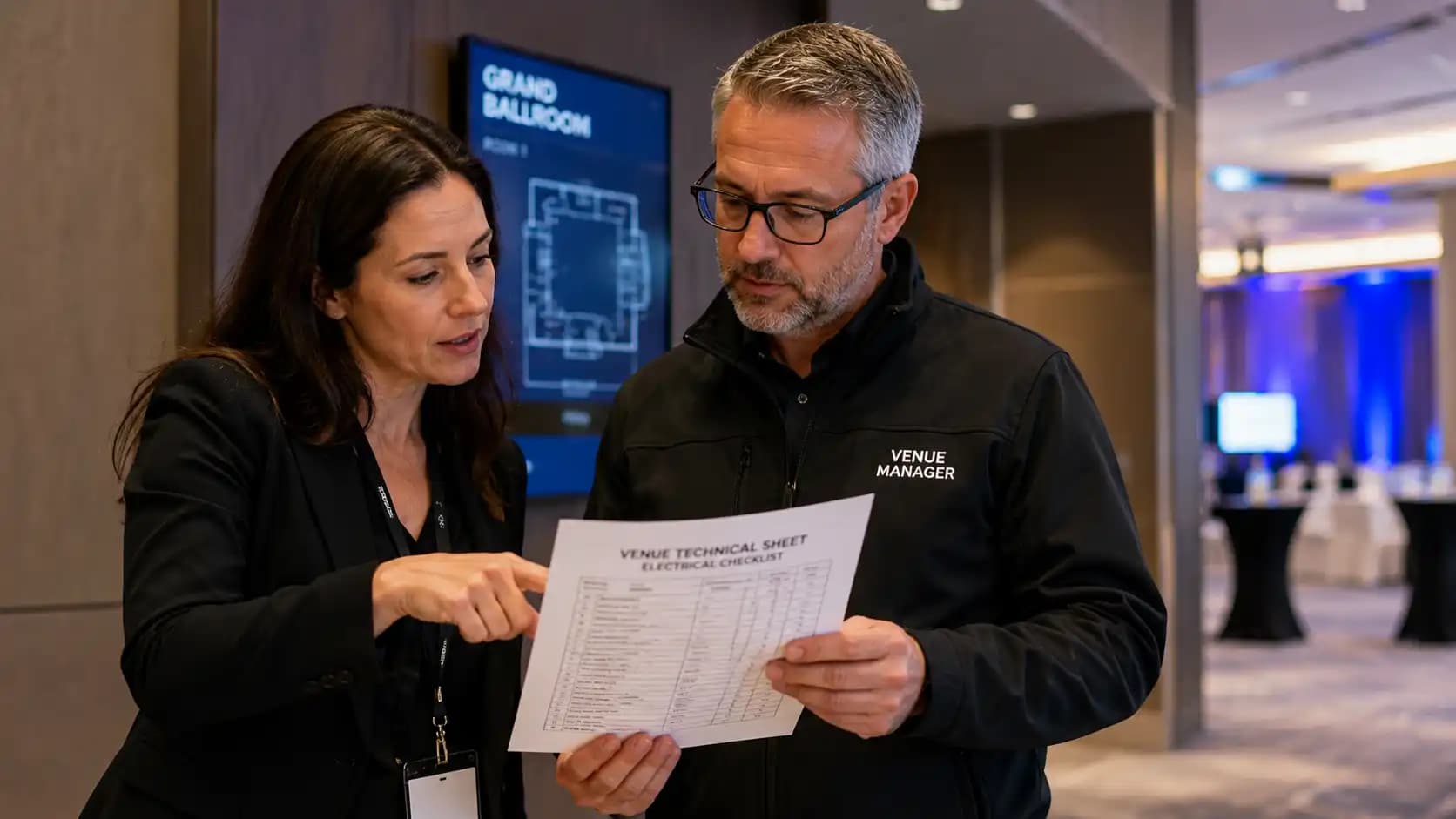
Your venue choice has a major impact on event power requirements. This is one reason the power conversation should happen alongside your event venue checklist, not after the contract is signed. The best time to discuss event power requirements is before the venue layout, stage location, and supplier access are finalized.
Ask the venue these questions before you lock in the technical plan:
- How many dedicated circuits are available in the event space?
- What amperage and voltage are available for production use?
- Where are the electrical panels located?
- Can the venue provide a power map or technical specification sheet?
- Are there restrictions on cable runs, floor covers, or overhead paths?
- Can production power be separated from catering, house lighting, and general outlets?
- Is an electrician required for tie-ins or temporary distribution?
- Are generators allowed, and if so, where can they be placed?
- Are permits or inspections required for the planned setup?
If the venue cannot answer right away, that is not necessarily a problem. It simply means your planner, venue contact, and AV partner should align early enough to avoid show-day surprises.
Event Power Requirements for Hybrid Events and Livestreams
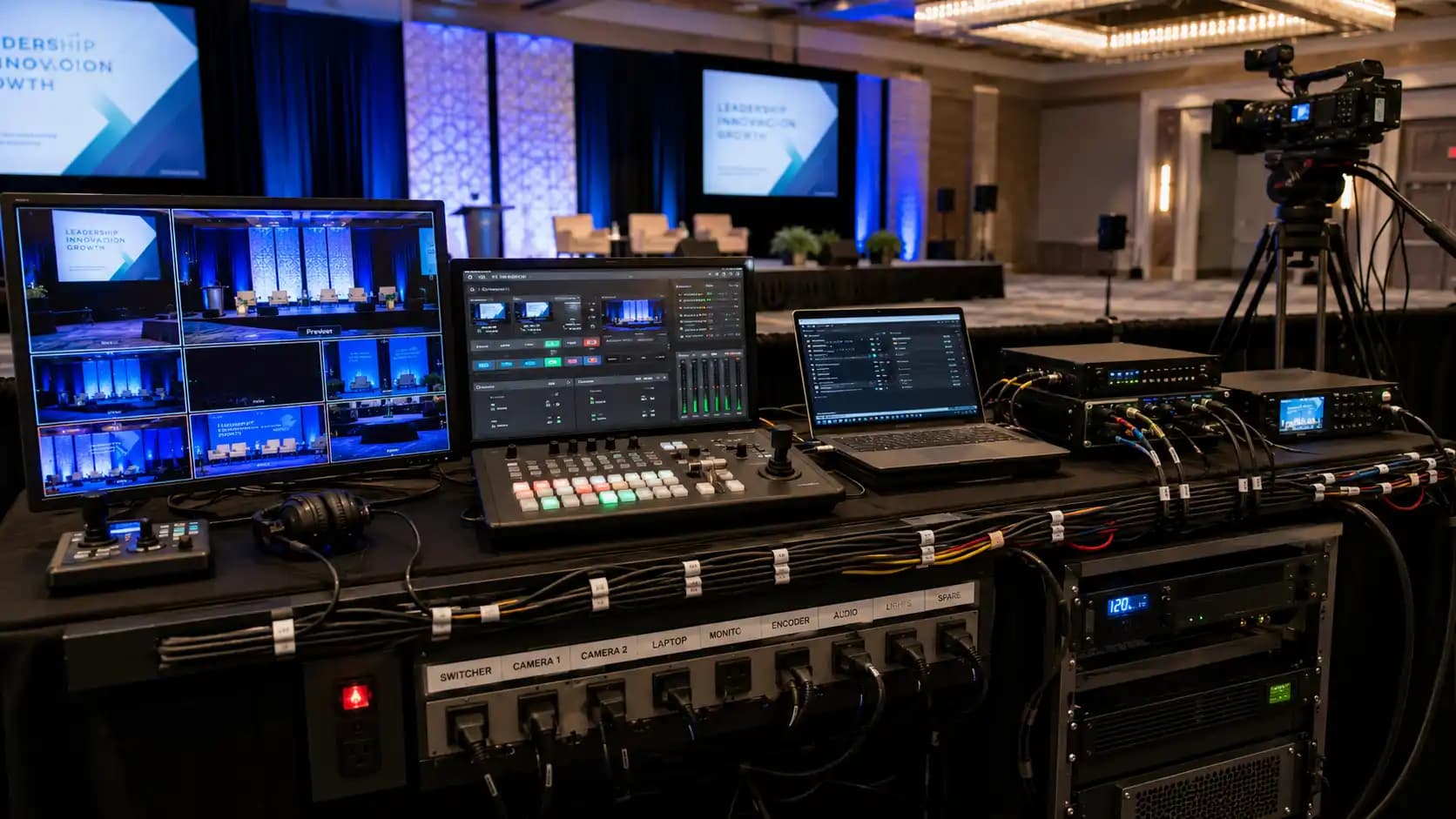
Hybrid events add another layer to event power requirements because the audience experience depends on equipment that may not be visible from the room. For hybrid programs, event power requirements extend beyond what the in-room audience can see. Cameras, monitors, encoders, network switches, intercom systems, confidence displays, remote speaker laptops, and recording systems all need reliable power.
If your event includes hybrid event production, do not let the livestream setup share random convenience outlets. Treat it as part of the main show system. The stream may be the only version of the event that remote attendees experience, so its power plan should be stable, protected, and easy for technicians to access.
This also connects directly to the event run of show. If a remote speaker joins at 10:05, the streaming system cannot be treated as a side table with a power bar. It needs to be ready, tested, monitored, and supported throughout the program.
Lighting, Staging, and Decor Power Considerations
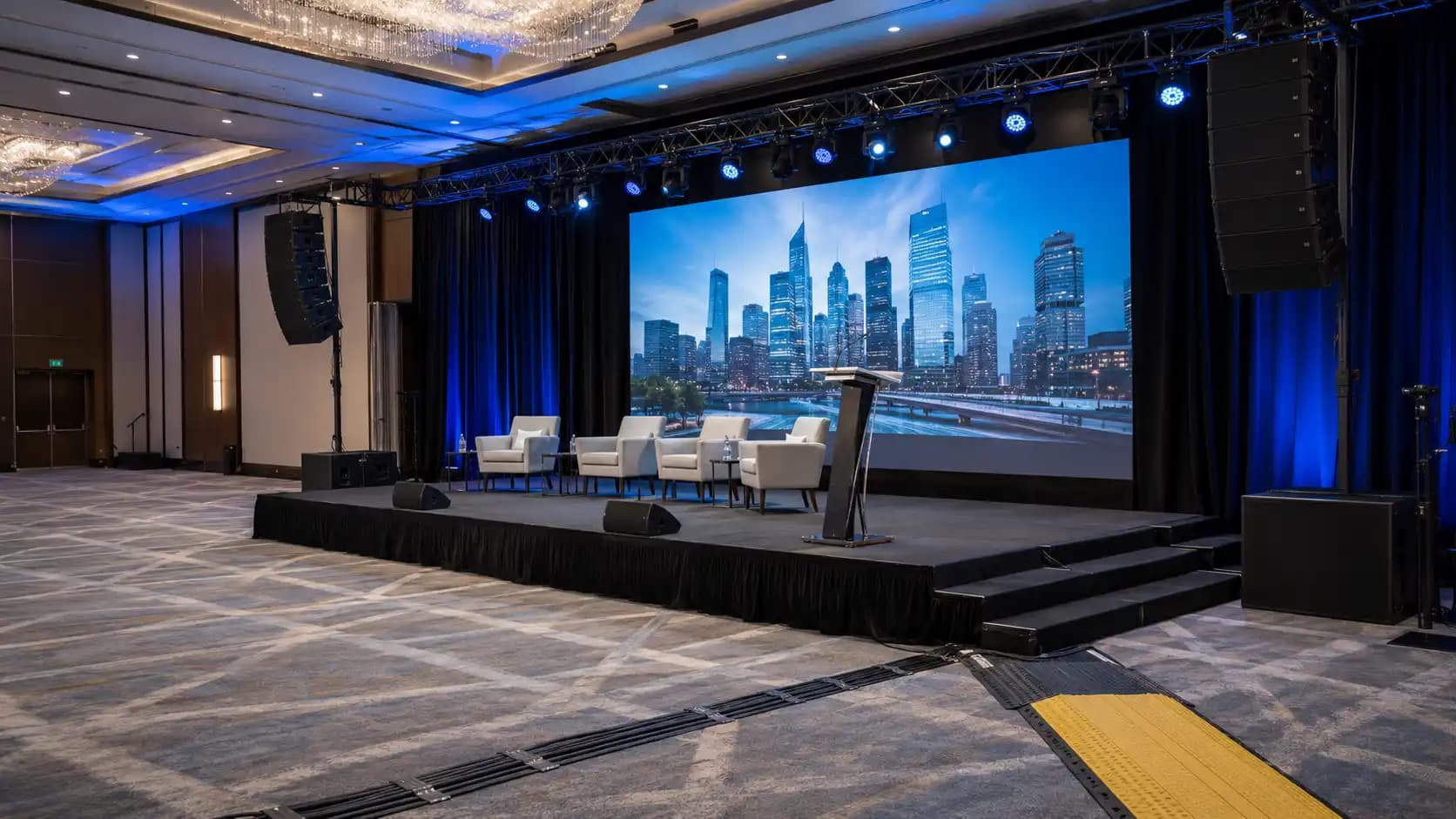
Lighting can transform a room, but it also changes the power conversation. Stage wash, moving lights, LED uplighting, scenic accents, gobos, and branded environments all contribute to event power requirements.
Modern LED fixtures are more efficient than older lighting technology, but efficient does not mean power-free. Large lighting designs still need thoughtful distribution, especially when combined with video walls, projection, audio, and decor elements.
Teams planning a branded environment should align event lighting, staging, and decor decisions early. A scenic wall, illuminated entrance, or sponsor photo moment may need power in a location the venue did not originally expect. Catching that during pre-production is much easier than solving it after carpet, furniture, and guest flow are already set.
Trade Shows and Sponsor Activations Need Separate Planning
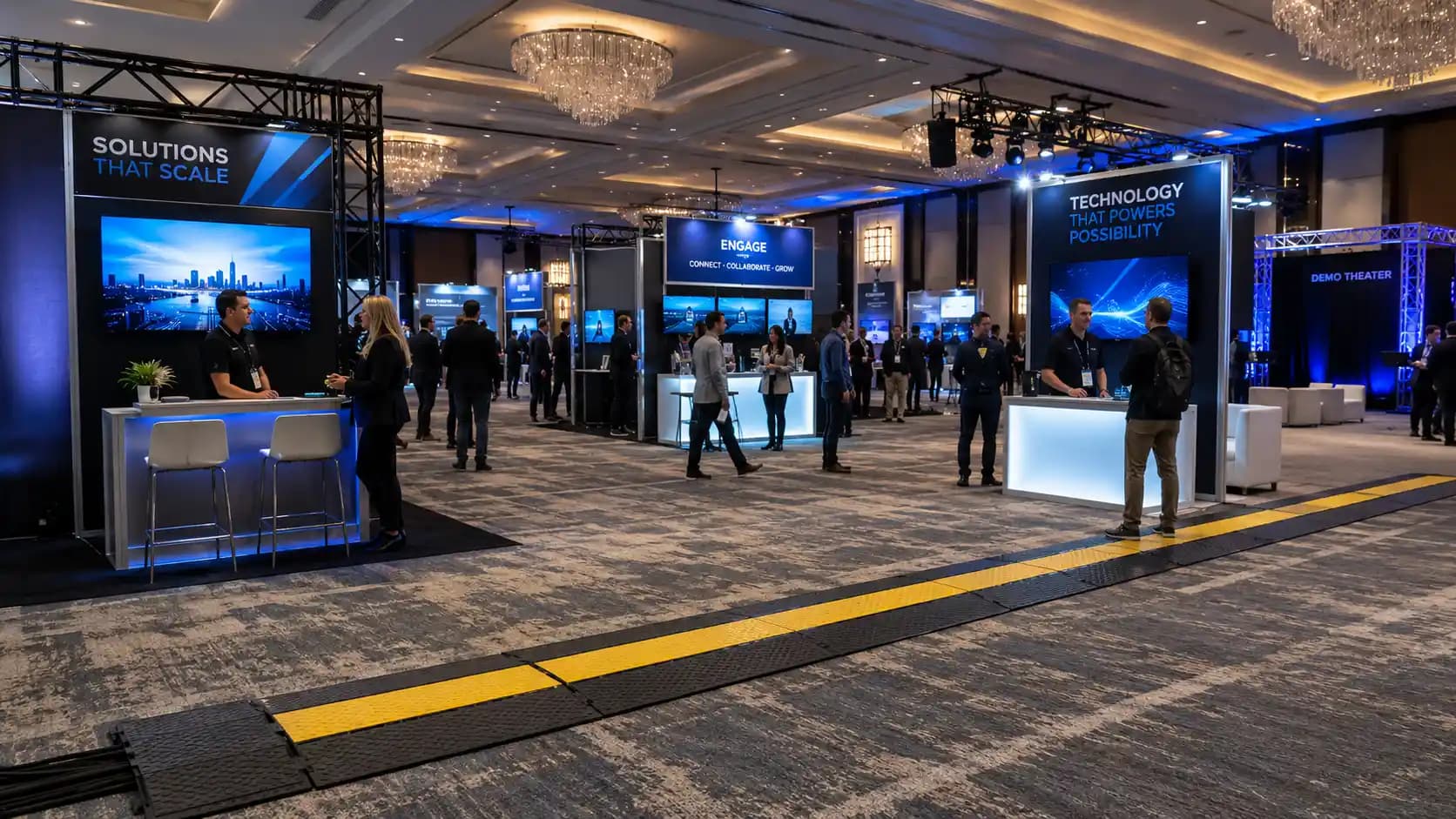
Trade shows create unique event power requirements because power is spread across booths, demo stations, signage, registration, lead capture tools, charging points, and sometimes food or product displays. One exhibitor may only need a monitor. Another may arrive with a full interactive experience.
For trade show production, collect exhibitor power needs before floor plans are finalized. Ask each sponsor what they are bringing, how many outlets they need, whether anything runs continuously, and whether their booth includes lighting, screens, computers, appliances, or interactive displays.
Then separate attendee-facing convenience power from production-critical power. This prevents a phone charging station or booth demo from competing with the systems that support the main stage.
Safety, Codes, and Temporary Power
Event power requirements are not only about performance. They are also about safety. Safe event power requirements planning accounts for temporary event environments that can involve long cable paths, public traffic, tight load-in schedules, outdoor conditions, and equipment from multiple suppliers.
For Ontario events, planners should be aware that the Electrical Safety Authority provides guidance for special events and temporary electrical work. The Ontario live performance electrical safety guidelines are also useful for understanding how temporary entertainment environments are treated. For public events in Toronto, the City of Toronto Special Event Permit Navigator can help identify permit and approval considerations.
Those links are not a substitute for professional advice, but they are valuable reminders that power planning should be handled with care. If temporary distribution, generators, outdoor equipment, or complex electrical work are involved, bring qualified professionals into the conversation early.
What about extension cords?
Extension cords should not become the default power plan. They may be useful in specific situations, but they need to be rated correctly, placed safely, protected from damage, and kept away from trip hazards. Health Canada also advises checking certification marks on electrical products, which is a simple but important habit when equipment is being sourced or added to an event environment through approved electrical products.
What about generators?
Generators can be helpful for outdoor events, temporary installations, or venues with limited electrical capacity. They also introduce planning questions around placement, noise, ventilation, fuel, cable routing, backup, grounding, access, and local approvals. Do not add a generator as a last-minute fix unless the technical team has confirmed how it will support the full system safely.
A Simple Event Power Planning Checklist
Use this checklist when you are preparing your next event brief:
- List every powered item across stage, lobby, registration, booths, back-of-house, and streaming areas.
- Identify critical systems that need the most reliable power.
- Request technical specifications from the venue.
- Confirm available circuits, amperage, voltage, and panel locations.
- Ask whether temporary distribution or an electrician is required.
- Separate production power from guest Wi-Fi areas, catering, and convenience outlets where possible.
- Review cable paths for safety, access, and aesthetics.
- Plan for peak show moments, not average equipment use.
- Add reasonable headroom for last-minute changes.
- Confirm backup options for livestreaming, presentation playback, and other mission-critical systems.
- Include power notes in the production schedule and run of show.
This checklist is not meant to replace a technical plan. It is meant to help planners ask better questions earlier.
Bringing Event Power Requirements Into the Full Production Plan
Event power requirements should not sit in a separate technical document that only one person sees. They belong inside the broader production conversation with AV, lighting, staging, venue logistics, safety, and scheduling.
If your event is simple, this may be a quick review. If your event includes multiple rooms, livestreaming, LED walls, sponsor activations, large-format lighting, or trade show elements, it becomes a core planning priority.
Future’s Past Events supports organizations across Toronto and the GTA with professional audio visual production services, AV equipment rentals, corporate events, hybrid events, trade shows, lighting, staging, and decor. That full-service perspective matters because power is connected to every part of the guest experience.
You can explore the company’s portfolio to see how production elements come together, or review the Our Story page to learn more about the team’s event production background. When you are ready to discuss the technical needs for an upcoming conference, AGM, gala, product launch, or branded experience, contact Future’s Past Events before the plan gets locked in.
The earlier you understand your event power requirements, the easier it becomes to protect your timeline, your production quality, your team, and your audience experience.Event Power Requirements for Corporate Events: A Practical Planning Guide
Related posts
Sales Kickoff Event Production: 9 Steps to an SKO That Energizes the Team
Sales kickoff event production decides whether your SKO sends the team into the new year fired up or quietly checking email. A sales kickoff asks a lot of a single day: leadership has to set the strategy, product teams have to launch what is new, top performers have to be recognized, and…
Awards Show Production: 10 Steps to a Ceremony That Runs on Time
Awards show production is what turns a list of winners into a night people remember. Every category needs a clean reveal, every winner needs to reach the stage without a long silence, and the whole program has to finish before the room loses its energy. That only happens when the show is…
Corporate Holiday Party AV: 9 Steps to a Memorable Year-End Night
Corporate holiday party AV decides whether the evening feels like a celebration or like a conference room with a buffet. The CEO's toast has to be heard over three hundred conversations, the year-in-review video has to play on cue, and the room has to change from dinner to dance floor without…