An event communication plan is one of the simplest ways to prevent confusion before, during, and after a corporate event.
It does not need to be complicated.
It just needs to make the right information reach the right people at the right time.
For corporate events, AGMs, conferences, hybrid meetings, tradeshows, launches, galas, and stakeholder presentations, communication is often the invisible structure holding everything together. When it works, guests do not notice it. Speakers feel prepared. Vendors know where to go. Executives understand their timing. The AV team receives updates early enough to act. The registration team can answer questions confidently.
When communication breaks down, small details quickly become show day problems.
A speaker arrives with the wrong presentation format. A sponsor misses their activation timing. A hybrid panelist joins late. A venue contact changes the loading instructions. A room reset happens without the production team knowing. A last-minute agenda change reaches some people but not others.
That is why an event communication plan should be treated as a practical planning tool, not just an admin document.
If you are already building an event run of show, reviewing an event venue walkthrough checklist, or preparing a technical plan with an audio visual services partner, communication deserves its own clear structure.
What Is an Event Communication Plan?
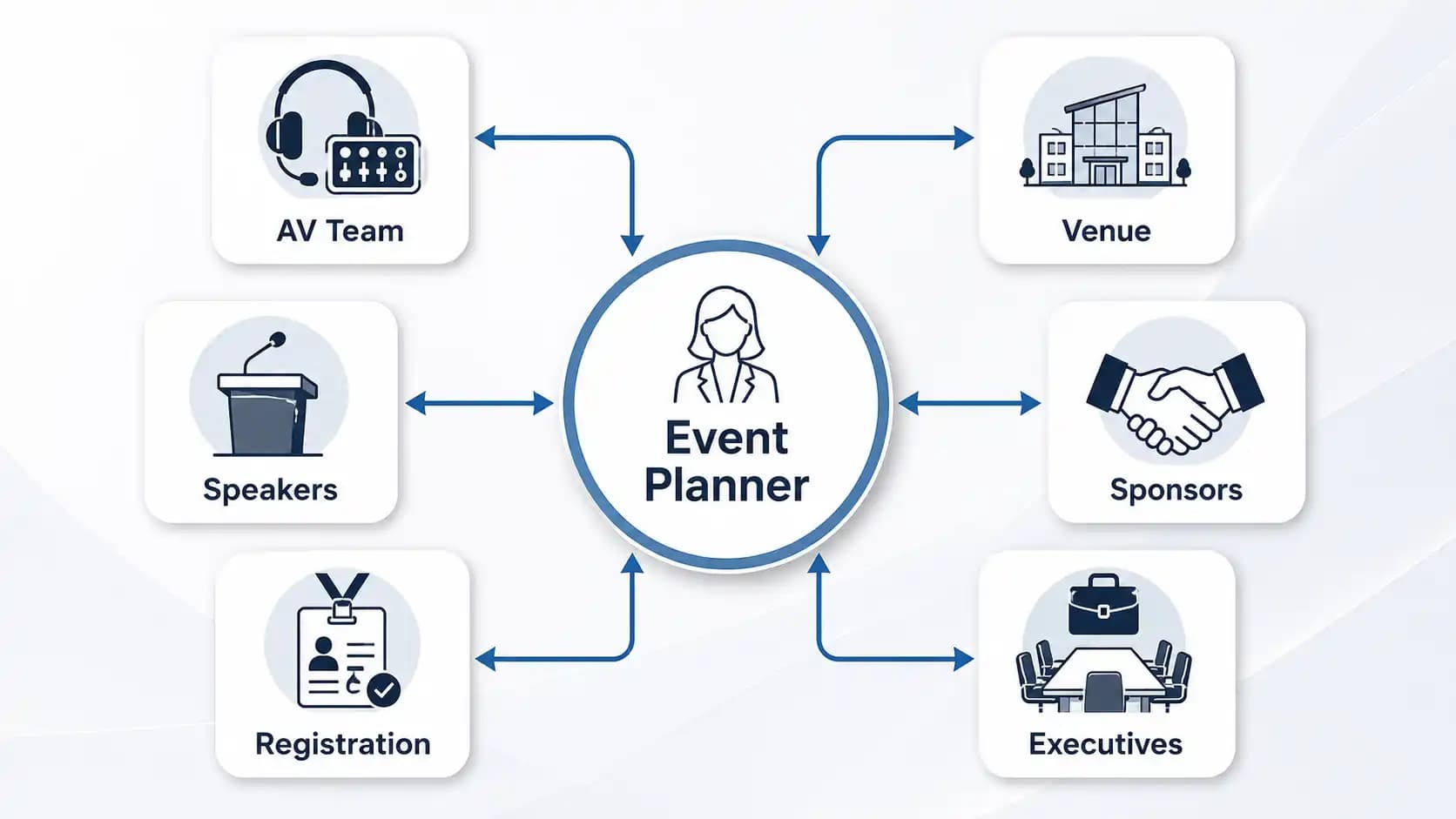
An event communication plan is a documented system for managing how information is shared across everyone involved in an event.
It defines who needs updates, what they need to know, when they need to know it, and which channels should be used.
In simple terms, it answers five questions:
| Question | What It Clarifies |
|---|---|
| Who needs the information? | Speakers, vendors, executives, AV crew, venue staff, sponsors, guests, registration, security, and planners |
| What do they need to know? | Timelines, access details, technical needs, roles, approvals, changes, and emergency steps |
| When do they need it? | Before the event, during setup, during the live program, and after the event |
| Where will it be shared? | Email, shared documents, event apps, production radios, group chats, briefing calls, or printed sheets |
| Who owns the update? | The person responsible for sending, confirming, and correcting information |
A strong event communication plan does not replace the agenda, production schedule, or vendor contracts. It connects them.
For example, a run of show tells the team what happens at 10:15 a.m. The communication plan explains who must be told if that moment changes, how they will be told, and who has final approval.
That distinction matters.
Why Corporate Events Need Clear Communication Now
Modern corporate events have more moving parts than ever.
A simple meeting may include executives, remote presenters, livestreaming, sponsor visibility, branded staging, accessibility requirements, digital signage, social media clips, registration software, multiple breakout rooms, and real-time audience engagement.
The more layers you add, the more important communication becomes.
A hybrid event is a good example. It is not enough to brief the people in the room. Remote participants need joining instructions. Speakers need tech checks. Moderators need backup questions. The AV team needs stable internet information. The audience support team needs escalation steps if attendees cannot access the stream.
That is where an event communication plan becomes valuable.
It reduces assumptions.
It gives every team a shared reference point.
It helps planners avoid relying on scattered email threads, verbal updates, or last-minute text messages.
For events with livestreaming or remote speakers, communication also supports reliability. Pairing your communication structure with an event bandwidth requirements review can help prevent technical surprises before they affect the guest experience.
1. Start With the Event Objective
Before you decide who gets what update, define what the event must achieve.
Is the event designed to inform employees? Impress investors? Launch a product? Train a team? Celebrate donors? Build sponsor value? Deliver an AGM? Capture content for later use?
The objective shapes the communication.
For a leadership town hall, internal alignment may be the priority. For an AGM, timing, speaker order, voting moments, and executive confidence may matter most. For a tradeshow, the plan may need stronger coordination between booth staff, AV support, sponsors, and lead capture teams.
A helpful question is: “What information would create risk if it arrived late?”
That might include presentation deadlines, arrival windows, room changes, rehearsal times, accessibility requests, power needs, security rules, or executive schedule changes.
Once you know the event goal, your event communication plan can focus on protecting the moments that matter most.
If your event involves a formal meeting, the communication process should also connect with your AGM event checklist or corporate event planning notes so important approvals are not missed.
2. Map Every Stakeholder Before You Write Messages
One of the most common event communication mistakes is sending everyone the same information.
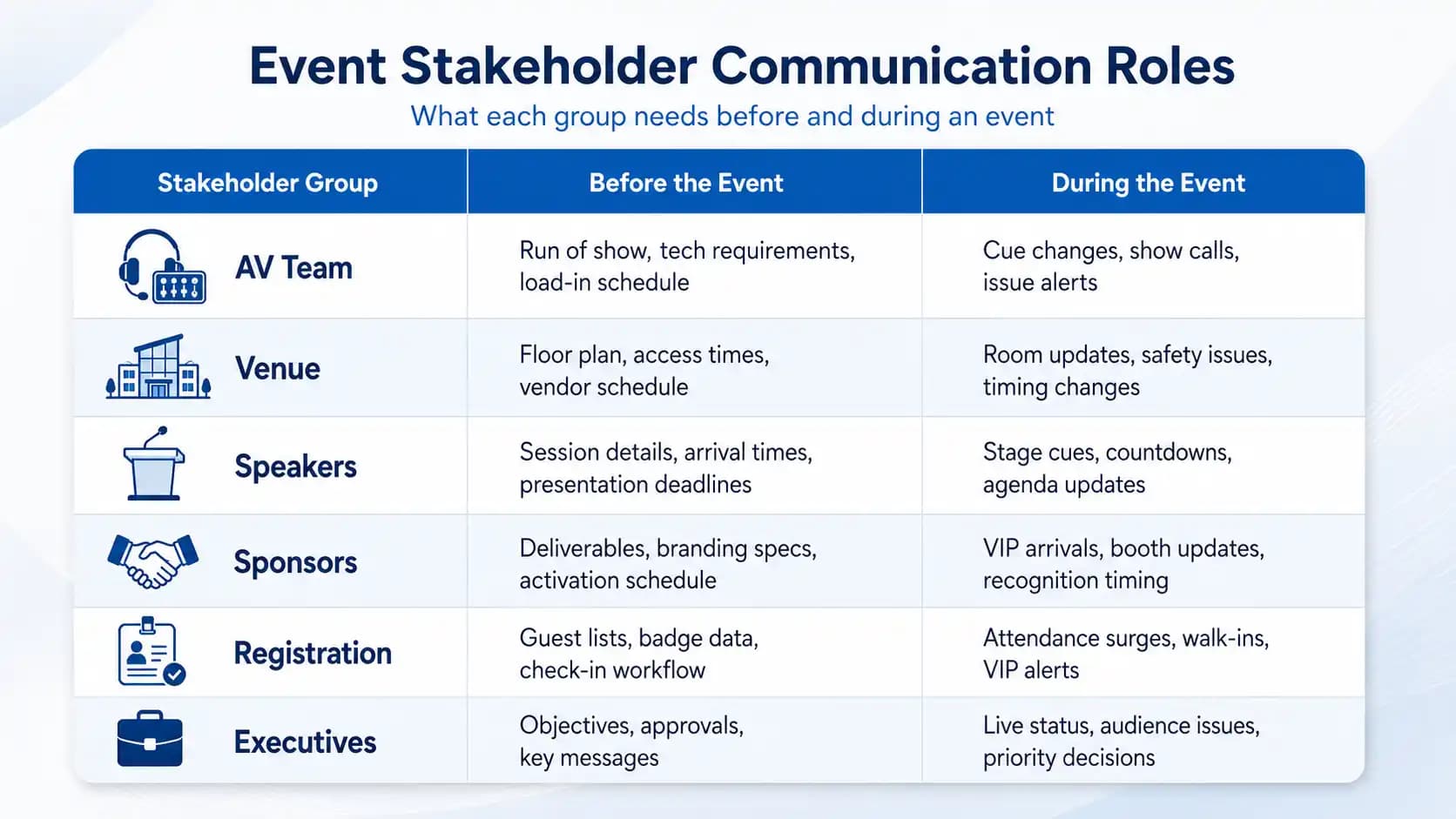
That sounds efficient, but it often creates confusion.
Executives do not need the same level of detail as the loading crew. Speakers do not need every sponsor note. Guests do not need the technical show flow. The AV team does need presentation formats, cue points, stage timing, microphone counts, video playback details, and last-minute changes.
A better approach is to group stakeholders by what they need to know.
Typical event communication groups include:
- Internal planning team
- Client or leadership team
- Speakers and moderators
- Venue contacts
- AV and production team
- Registration team
- Sponsors and exhibitors
- Catering and hospitality teams
- Security and guest services
- Attendees
- Remote participants
- Accessibility support contacts
- Marketing and social media team
This step keeps your event communication plan clean.
For example, sponsors may need information related to logos, booth setup, activation timing, and deliverables. That information connects naturally with planning resources such as event sponsorship packages.
The AV team, on the other hand, needs a different level of detail. They may need to know who is speaking from the stage, who is joining remotely, whether there are videos, whether slides include audio, and whether any presenters plan to move around the room.
When each stakeholder gets information written for their role, they are more likely to read it and act on it.
3. Choose the Right Communication Channels
A strong event communication plan should not rely on one channel.
Email is useful for formal updates, but it is not always ideal during setup or live production. Group chats are fast, but they can become messy. Shared documents are helpful, but only if everyone knows where to find the latest version. Radios and headsets are essential for many live event teams, but they require clear channel discipline.
Match the channel to the situation.
Use email for confirmations, deadlines, formal approvals, speaker instructions, and attendee notices.
Use shared documents for schedules, contact lists, floor plans, production notes, and version-controlled files.
Use live calls or briefing meetings for complex changes that need discussion.
Use radios or headsets for show day production communication.
Use signage, event apps, or SMS alerts for attendee-facing updates when appropriate.
For public-facing communication, especially in Canada, make sure accessibility is considered. Guidance from the Ontario accessibility information and communications standards can help planners think about how information is shared with attendees who may need accessible formats.
The goal is not to use every channel.
The goal is to choose the few that help your event team move quickly without losing accuracy.
4. Set Message Timing Before the Event Week
Timing is where many communication plans become weak.
A planner may have all the right information, but if it is shared too late, teams still scramble.
A practical event communication plan should include communication milestones.
For example, your timeline may include:
- Six to eight weeks out: Confirm event objectives, key stakeholders, venue details, and major production needs.
- Four weeks out: Share draft agenda, technical requirements, sponsor needs, and preliminary floor plans.
- Two weeks out: Confirm speaker details, presentation formats, arrival instructions, registration flow, and accessibility requests.
- One week out: Send final briefing notes, contact list, show day schedule, and escalation process.
- One day out: Confirm arrival times, emergency contacts, weather or travel notes, and final file status.
- Show day: Use a live communication chain for setup, rehearsals, program cues, and issue escalation.
- Post-event: Share thank-you messages, content follow-up, survey links, and internal debrief notes.
This kind of rhythm helps everyone prepare.
It also reduces the pressure on show day because fewer people need basic answers at the last minute.
If your event includes complex production, it is smart to align the communication timeline with technical planning. For example, presentation deadlines should support AV testing. Venue access updates should support staging and loading. Power details should be confirmed before setup, especially when reviewing event power requirements.
5. Create a Single Source of Truth
Every event needs one place where the latest information lives.
Without that, teams may work from different versions of the agenda, floor plan, contact sheet, or speaker list.
A single source of truth can be a shared project folder, event planning dashboard, cloud document, or production binder. The format matters less than the discipline.
Everyone should know where to find the latest version.
Every document should have a clear name.
Old versions should be removed or marked as outdated.
Sensitive information should only be visible to the right people.
This is especially important when handling attendee lists, executive details, private links, or internal business information. For events involving digital tools, registration data, or livestream access, your communication workflow should connect with privacy and security thinking. The Office of the Privacy Commissioner of Canada provides helpful context on personal information handling, and your team may also benefit from reviewing an event cybersecurity checklist.
A clean event communication plan should make version control obvious.
If someone asks, “Which schedule are we using?” the answer should be immediate.
6. Build Your Show Day Communication Chain
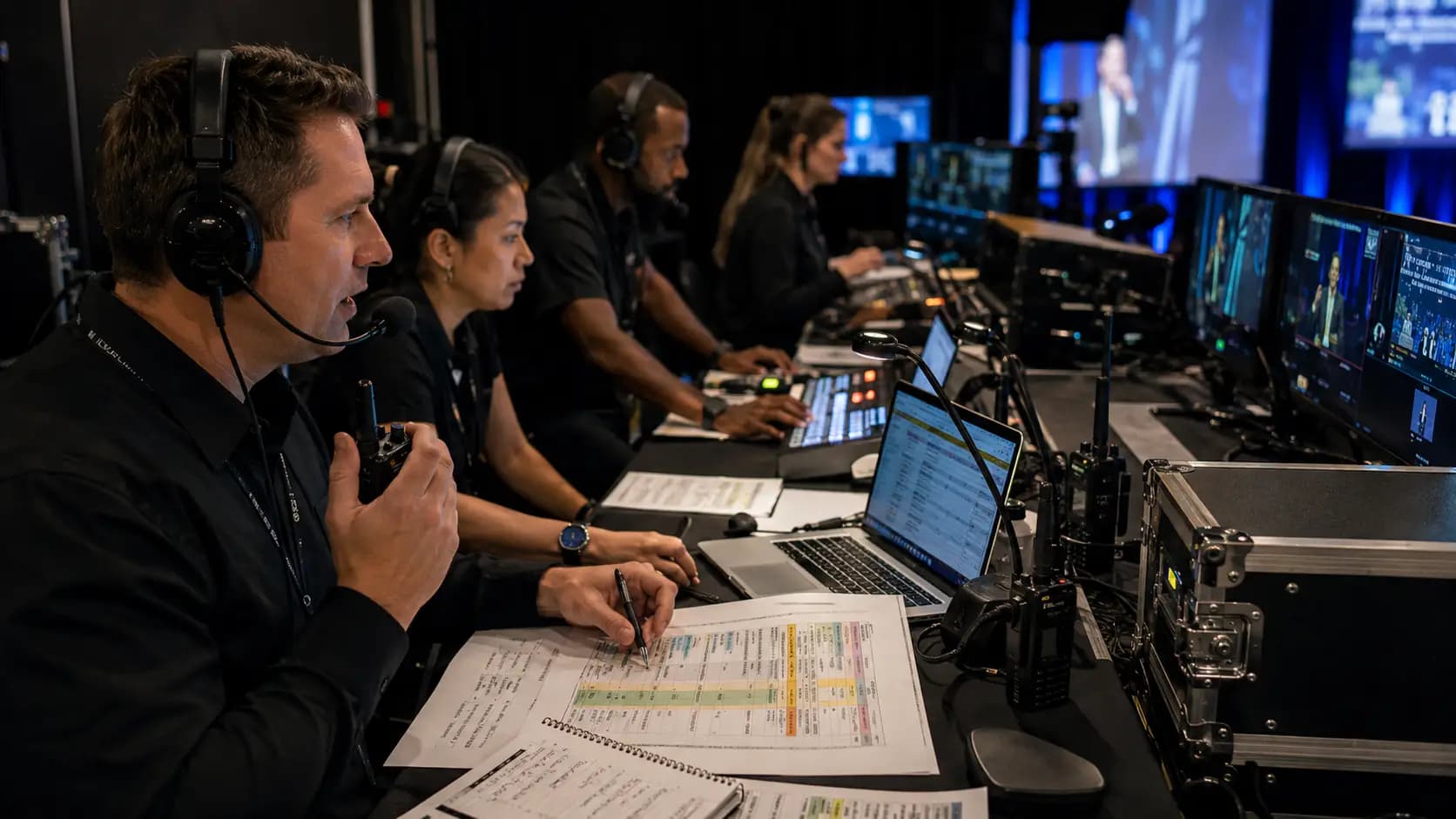
Show day communication needs speed, clarity, and authority.
This is not the time for long email threads.
Your event communication plan should define who communicates live changes and who has decision-making authority.
For example, if a speaker is delayed, who decides whether to hold the program, move to the next agenda item, play a video, or ask the moderator to extend Q&A?
If the livestream has an issue, who communicates with remote viewers?
If a sponsor activation needs more time, who approves the adjustment?
If a room reset runs behind schedule, who informs registration, catering, and production?
A clear show day communication chain may include:
- Event lead
- Production lead or show caller
- Venue lead
- Client or executive decision-maker
- AV technical lead
- Registration lead
- Speaker manager
- Sponsor or exhibitor lead
- Guest services lead
The important part is not just naming people.
It is defining how decisions move.
For corporate events, the production lead and planner should be closely aligned. The planner protects the event objective. The production team protects the live experience. Together, they help the room stay calm and coordinated.
This is especially important for events using event staging, lighting, video playback, microphones, livestreaming, or stage transitions.
7. Include Speaker and Moderator Communication
Speakers can make or break the flow of an event.
Even experienced speakers need clear instructions.
Your event communication plan should include a speaker communication track that explains deadlines, rehearsal expectations, presentation format, arrival time, green room details, microphone use, slide control, Q&A format, and timing.
A common question is: “How much detail should speakers receive?”
The answer is: enough to feel prepared, but not so much that the important details get buried.
A speaker briefing should be short, clear, and practical.
It may include:
- Event purpose
- Audience profile
- Session title and timing
- Arrival and rehearsal time
- Slide deadline and file format
- Microphone type
- Stage setup
- Moderator contact
- Q&A expectations
- Backup contact for urgent issues
For moderators, communication should go deeper. They may need backup questions, pronunciation notes, timing cues, audience engagement instructions, and escalation guidance if a speaker runs long.
If the event includes AI-supported tools for agenda planning, content summaries, or attendee engagement, communication should clarify what is automated and what is human-reviewed. This connects well with broader planning ideas around AI in event planning.
8. Plan Communication for Hybrid and Remote Participants
Hybrid events need an extra layer of communication because there are two audiences: the people in the room and the people joining remotely.
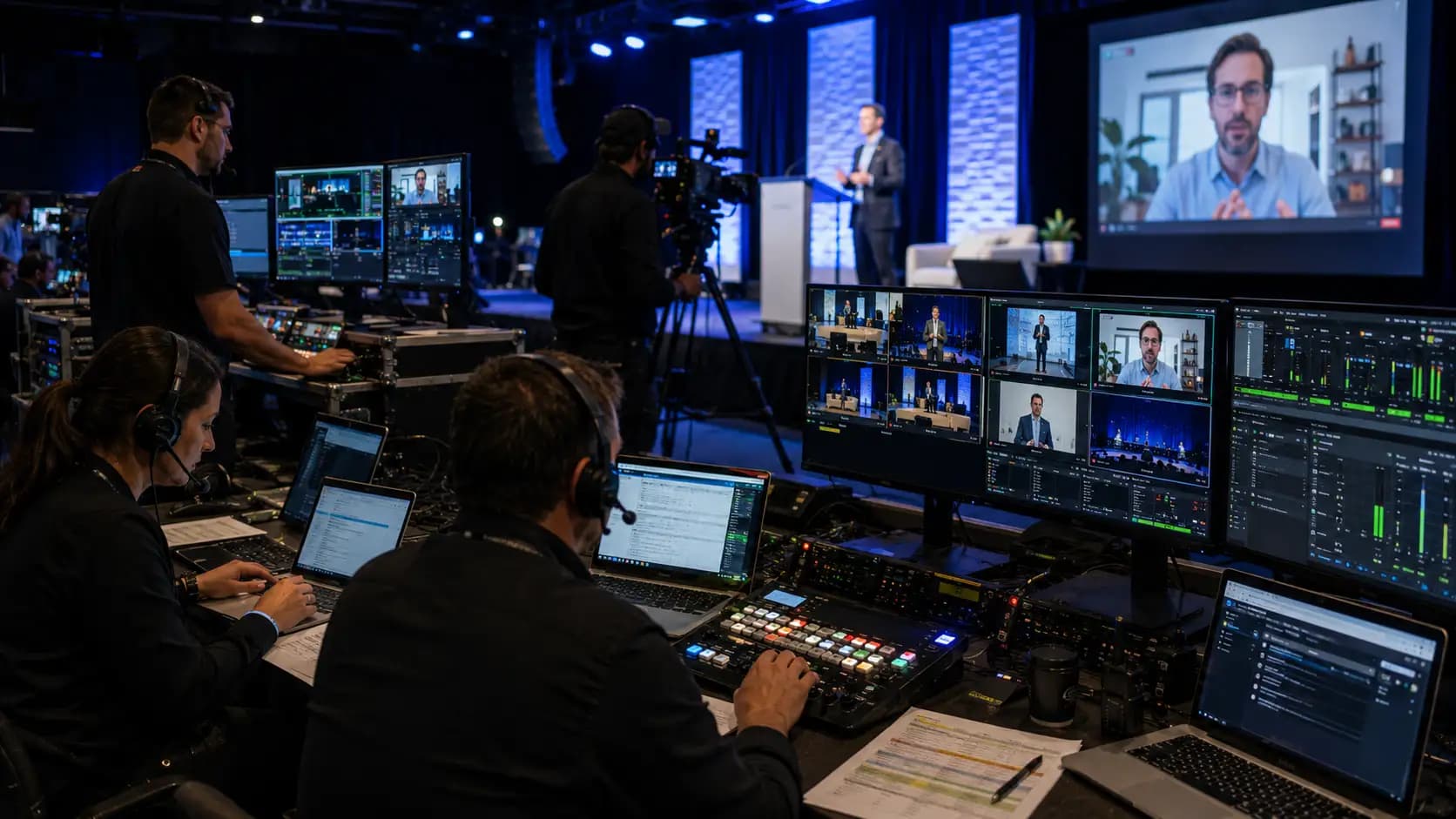
A good event communication plan should make both audiences feel considered.
Remote participants need joining links, time zone clarity, login instructions, support contacts, agenda timing, platform guidance, and expectations for interaction.
Remote speakers need even more detail.
They should know when to join the virtual green room, how their audio and video will be tested, what background or lighting is preferred, who will cue them, and what happens if their connection drops.
The in-room team also needs hybrid-specific communication.
The moderator should know when to address the remote audience. The AV team should know which remote speakers are live, which are backup, and whether any content is being streamed or recorded. The planner should know who is monitoring chat, Q&A, and technical support.
If your event includes livestreaming, webcasting, remote speakers, or virtual attendance, review your communication plan alongside hybrid event production needs.
The practical question to ask is: “If a remote attendee has a problem, who helps them, and how fast can they get an answer?”
If that answer is unclear, your hybrid communication needs more structure.
9. Prepare for Changes Before They Happen
No event goes exactly as planned.
That is why your event communication plan should include change management.
This does not mean expecting failure. It means giving your team a calm process when something changes.
Examples include:
- A speaker cancels or arrives late.
- A presentation file does not work.
- A sponsor needs a setup change.
- Weather affects arrivals.
- A room opens late.
- A remote panelist has connection issues.
- A VIP schedule changes.
- Registration lines become too long.
- A microphone or screen needs adjustment.
- A session runs over time.
For each likely scenario, define the response.
Who needs to know first?
Who approves the change?
Who updates the run of show?
Who tells the AV team?
Who tells attendees, if needed?
Who records the change for the post-event debrief?
This step connects closely with an event risk assessment. Risk planning identifies what could go wrong. Communication planning explains how the team responds when something does.
Even a simple escalation chart can help.
For urgent safety issues, teams may also want to review general emergency planning guidance from Get Prepared Canada and align venue-specific procedures with the event plan.
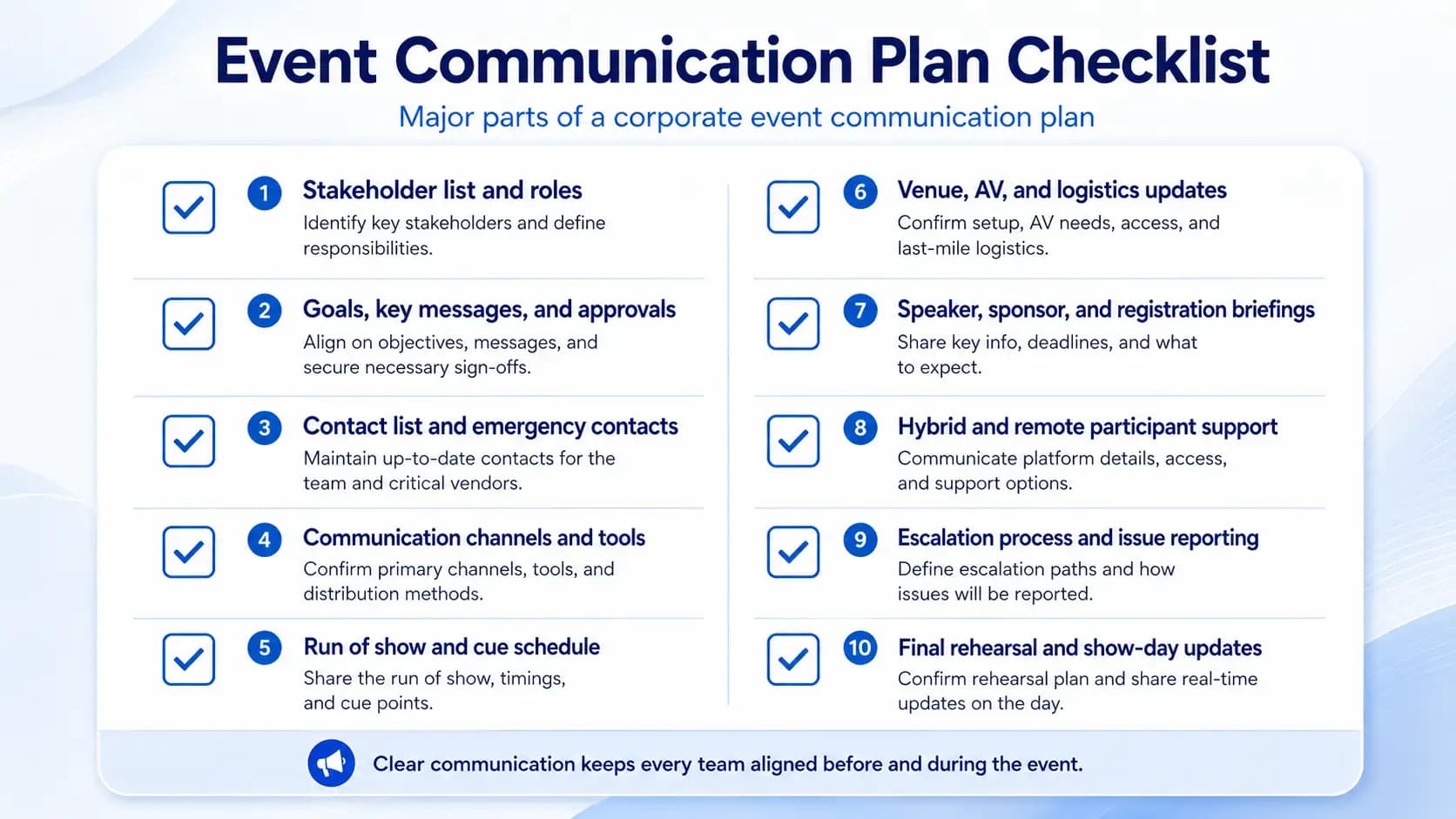
What Should Be Included in an Event Communication Plan?
A complete event communication plan should be detailed enough to guide the team but simple enough to use.
At minimum, include:
- Event name, date, venue, and main contacts
- Event objective and audience overview
- Stakeholder list
- Communication channels
- Pre-event message schedule
- Speaker communication details
- Vendor and venue updates
- AV and production communication notes
- Attendee communication schedule
- Hybrid or livestream instructions
- Accessibility communication requirements
- Emergency and escalation contacts
- Show day decision-making chain
- Post-event communication steps
You can also include templates for common messages.
For example, a speaker reminder template, sponsor setup note, attendee update, venue access reminder, or post-event thank-you message.
Templates save time and reduce inconsistency.
They also help when multiple people are sending updates on behalf of the same event team.
A Mini Example: Corporate Conference Communication Flow
Imagine a one-day corporate conference in Toronto with 250 in-person attendees, three executives, two external speakers, a sponsor area, and a livestream for remote staff.
Without a communication plan, the planner may be managing emails from speakers, texts from executives, venue updates, AV questions, registration issues, and remote attendee support all at once.
With an event communication plan, the structure is clearer.
The speaker manager handles presentation deadlines and rehearsal reminders.
The production lead manages show cues with the AV team.
The registration lead handles attendee questions.
The sponsor lead manages activation timing.
The hybrid support contact monitors remote access issues.
The event lead approves changes that affect the agenda.
The client decision-maker approves executive timing changes.
This kind of clarity does not remove pressure, but it prevents confusion from spreading.
It also gives every team member confidence because they know where their role begins and ends.
Common Event Communication Mistakes to Avoid
The first mistake is sending updates too late.
If speakers receive technical instructions the day before the event, there may not be enough time to fix file issues or schedule a proper rehearsal.
The second mistake is relying only on verbal updates.
Verbal updates are useful in the moment, but important changes should be written down somewhere visible to the right team members.
The third mistake is overloading people with irrelevant information.
A long all-team email may feel thorough, but it can hide the details each group actually needs.
The fourth mistake is not identifying a final decision-maker.
If no one knows who can approve a change, teams may hesitate or make conflicting decisions.
The fifth mistake is forgetting the post-event phase.
Communication does not stop when the room clears. Thank-you messages, recording links, surveys, sponsor follow-ups, internal debriefs, and content recaps all need ownership.
A good event communication plan continues until the event is fully closed.
How Communication Supports the Guest Experience
Guests may never see your planning documents, but they feel the results.
When communication is strong, arrival feels smooth. Signage makes sense. Registration has answers. Sessions start on time. Speakers look prepared. Technical transitions feel seamless. Sponsors understand their moments. Remote guests know how to participate.
When communication is weak, guests notice hesitation.
They may see staff searching for answers, speakers waiting for cues, screens showing the wrong slide, or attendees lining up without direction.
This is why communication should be seen as part of the event experience.
It works alongside design, staging, lighting, decor, AV, and hospitality.
For example, if you are planning a branded gala or product launch, your communication plan should connect with event decor decisions so the setup team, lighting team, and content team are all aligned on the same visual goal.
For a tradeshow, communication should support booth timing, sponsor visibility, lead capture, and traffic flow. That makes it a natural partner to tradeshow production planning.
How to Keep the Plan Simple Enough to Use
The best event communication plan is not always the longest one.
It is the one people actually follow.
Use clear labels.
Keep paragraphs short.
Assign owners.
Separate internal notes from attendee-facing messages.
Use bold deadlines.
Put emergency contacts where people can find them.
Avoid too many platforms.
Review the plan during pre-event meetings.
Update it immediately when major details change.
For larger events, consider building a one-page show day communication sheet. This can include the main contacts, radio channels, escalation order, key timings, and emergency notes.
That one page can become one of the most useful documents on site.
Bringing Your Event Communication Plan to Life
An event communication plan becomes most powerful when it is connected to real production expertise.
On paper, communication may look simple. In a live event environment, it has to work under pressure.
That is where experienced planning, AV, and production support can make a difference.
Future’s Past Events supports corporate events, special events, hybrid events, tradeshows, staging, lighting, decor, and full event production services across Toronto and the GTA. The team understands how communication connects to technical timing, room flow, speaker confidence, show cues, audience experience, and last-minute problem solving.
If you are planning a corporate meeting, AGM, conference, livestream, gala, or branded event, your communication plan should not sit separately from the production plan. It should work with your AV schedule, venue walkthrough, run of show, staging plan, lighting design, and guest experience.
You can explore the Future’s Past Events portfolio for examples of event production work, learn more about the company’s experience on the Our Story page, or start a conversation through the contact page.
With the right event communication plan, your team can move with more confidence, your speakers can feel more prepared, your vendors can stay aligned, and your audience can experience the event the way it was meant to be experienced.
Related posts
Sales Kickoff Event Production: 9 Steps to an SKO That Energizes the Team
Sales kickoff event production decides whether your SKO sends the team into the new year fired up or quietly checking email. A sales kickoff asks a lot of a single day: leadership has to set the strategy, product teams have to launch what is new, top performers have to be recognized, and…
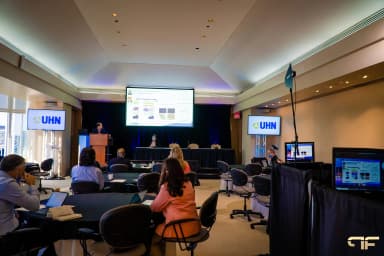
Awards Show Production: 10 Steps to a Ceremony That Runs on Time
Awards show production is what turns a list of winners into a night people remember. Every category needs a clean reveal, every winner needs to reach the stage without a long silence, and the whole program has to finish before the room loses its energy. That only happens when the show is…
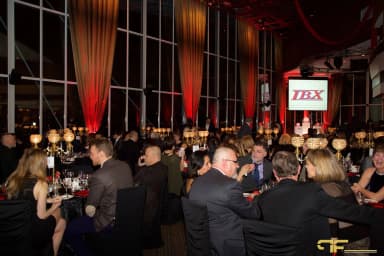
Corporate Holiday Party AV: 9 Steps to a Memorable Year-End Night
Corporate holiday party AV decides whether the evening feels like a celebration or like a conference room with a buffet. The CEO's toast has to be heard over three hundred conversations, the year-in-review video has to play on cue, and the room has to change from dinner to dance floor without…